
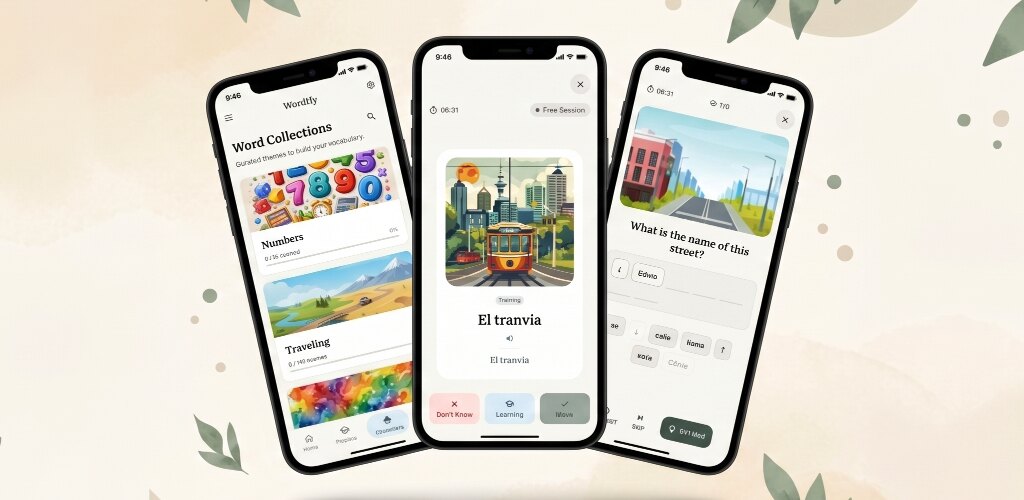
About six months ago I shipped the first version of Wordify. A dark-themed flashcard app with widgets, notifications, and the SM-2 spaced repetition algorithm. I was proud of it. It had been months of evenings and weekends, plus more time fighting through the App Store and Play Store submission processes.
Then I started using it daily, and hearing from a few friends who tried it.
And something was off.
The engine underneath (SM-2 spaced repetition, the word collections, the widgets, the notifications) is mostly the same. What I rebuilt was the surface: the UI, the brand, the onboarding, and the defaults. This post is about what was wrong, what I changed, and why Wordify 2.0 looks and feels nothing like 1.0.
Wordify 2.0
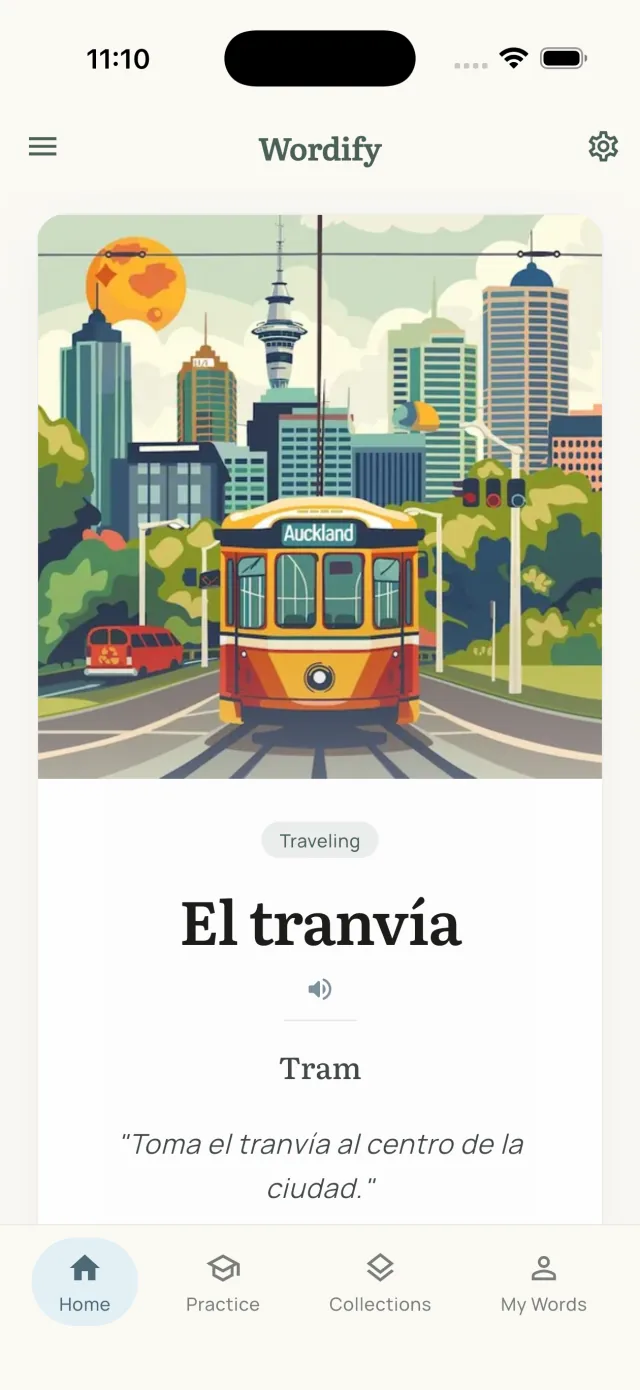
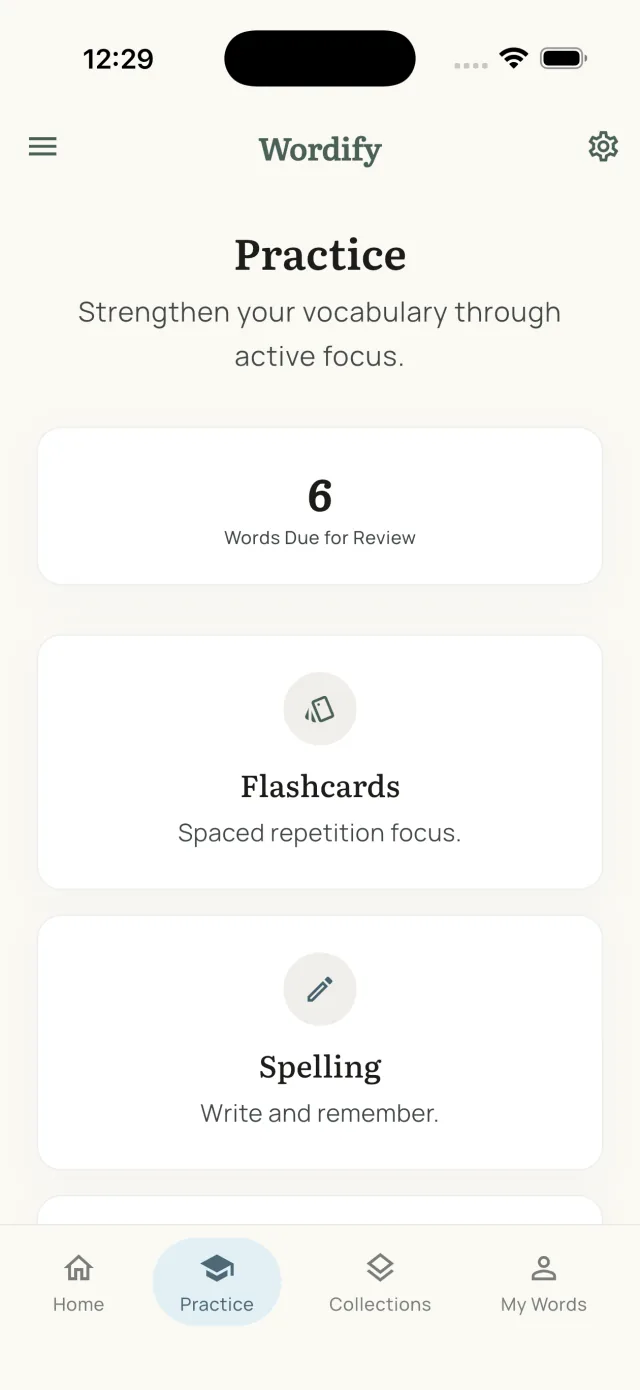
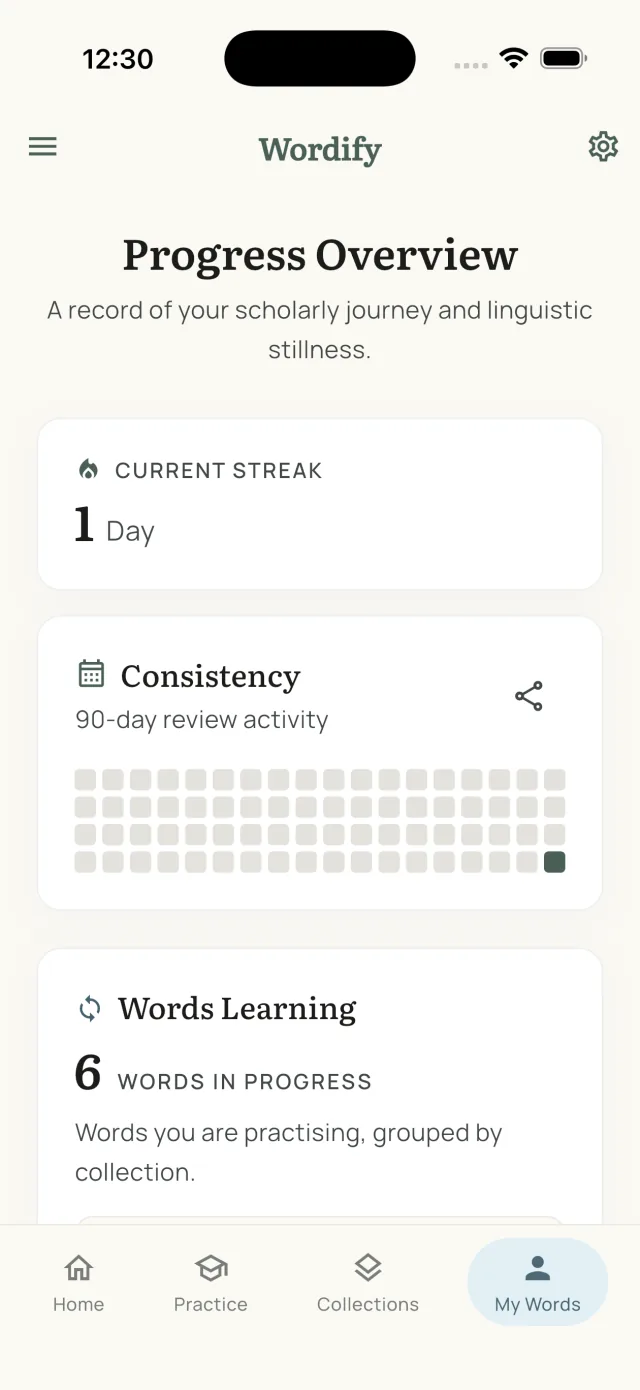
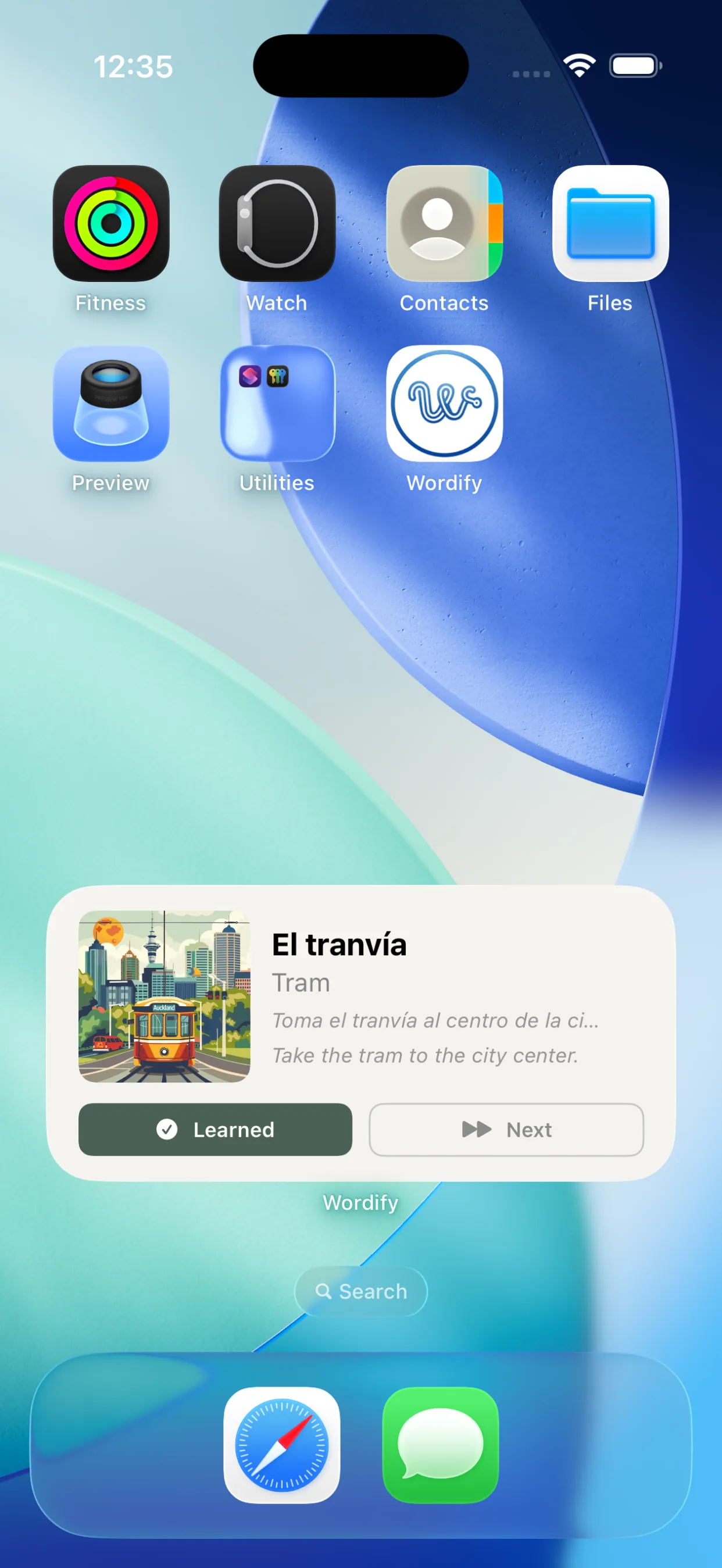
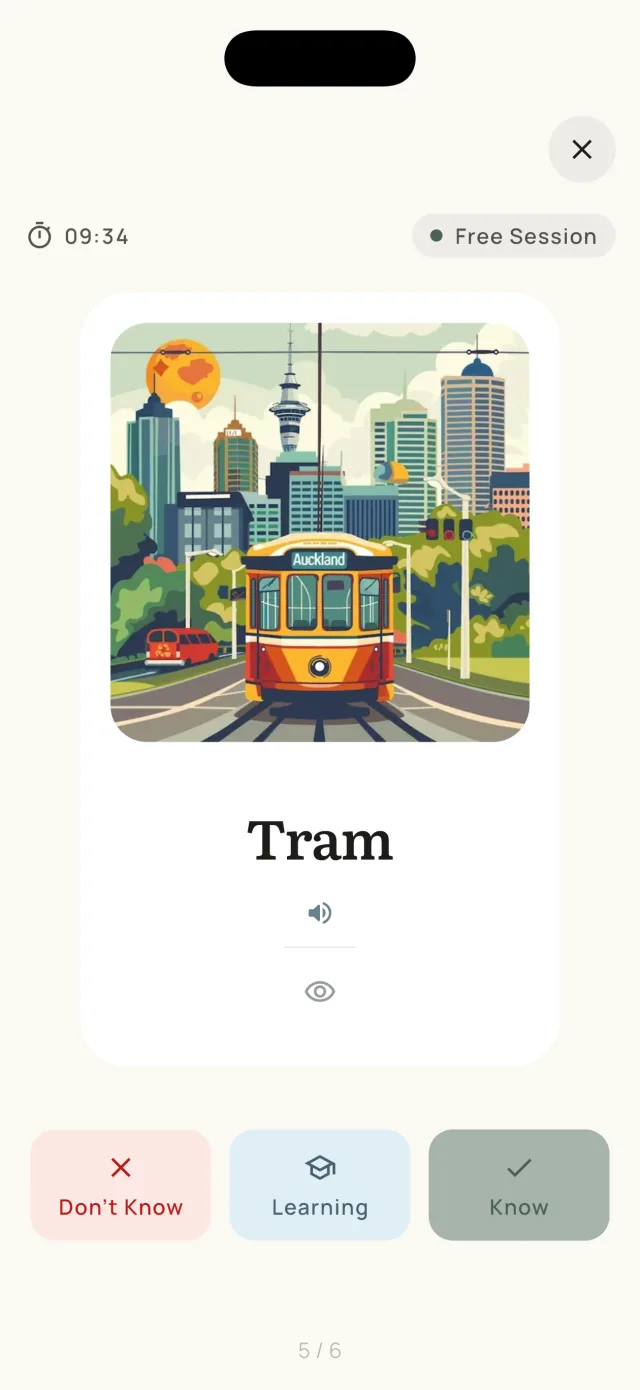
The new calm, scholarly look: cream surfaces, sage green accents, serif headings.
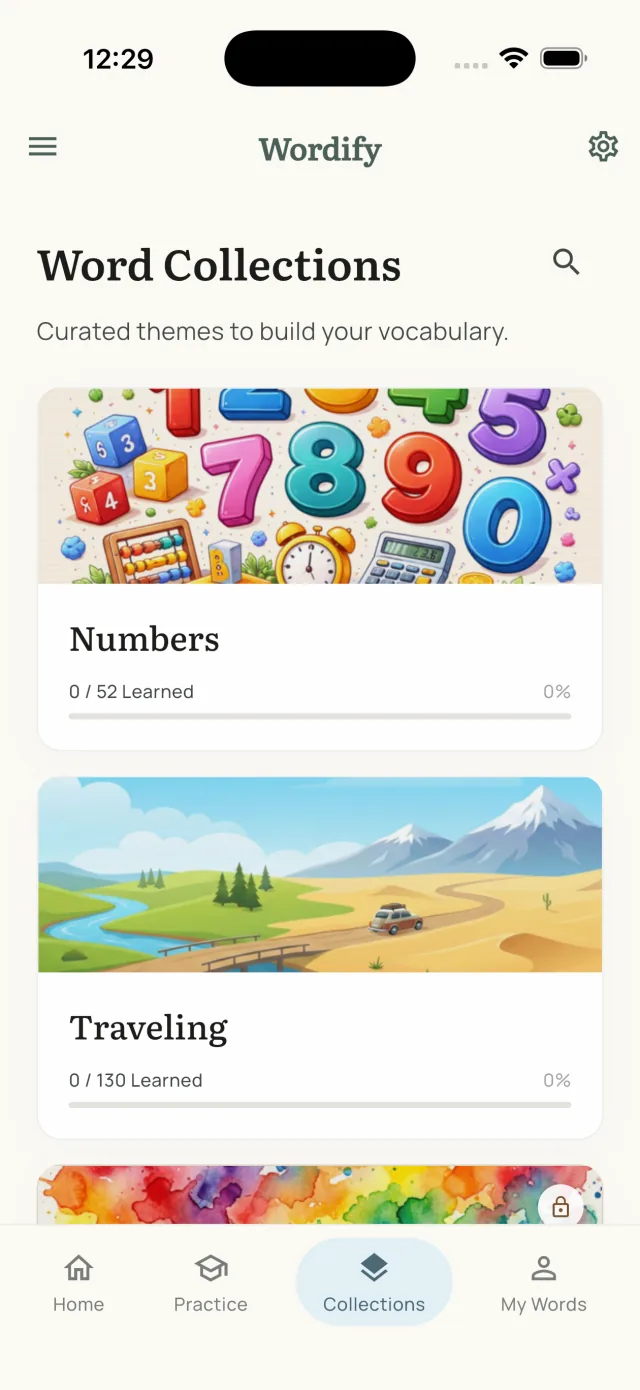
The first sign: the design wasn't doing its job
Six months in, the gap between what Wordify was supposed to feel like and what it actually felt like kept getting harder to ignore. The dark UI was fine. The features worked. But the surface was generic in a way the product wasn't, and small bits of friction I had stopped noticing as the developer were the first things other people ran into.
As more feedback came in, the pattern became clearer.
Reason 1: the UI wasn't intuitive
I had designed Wordify by adding features as I needed them. The result was a product that worked beautifully if you already understood it, and confused you if you did not.
A few examples that stood out.
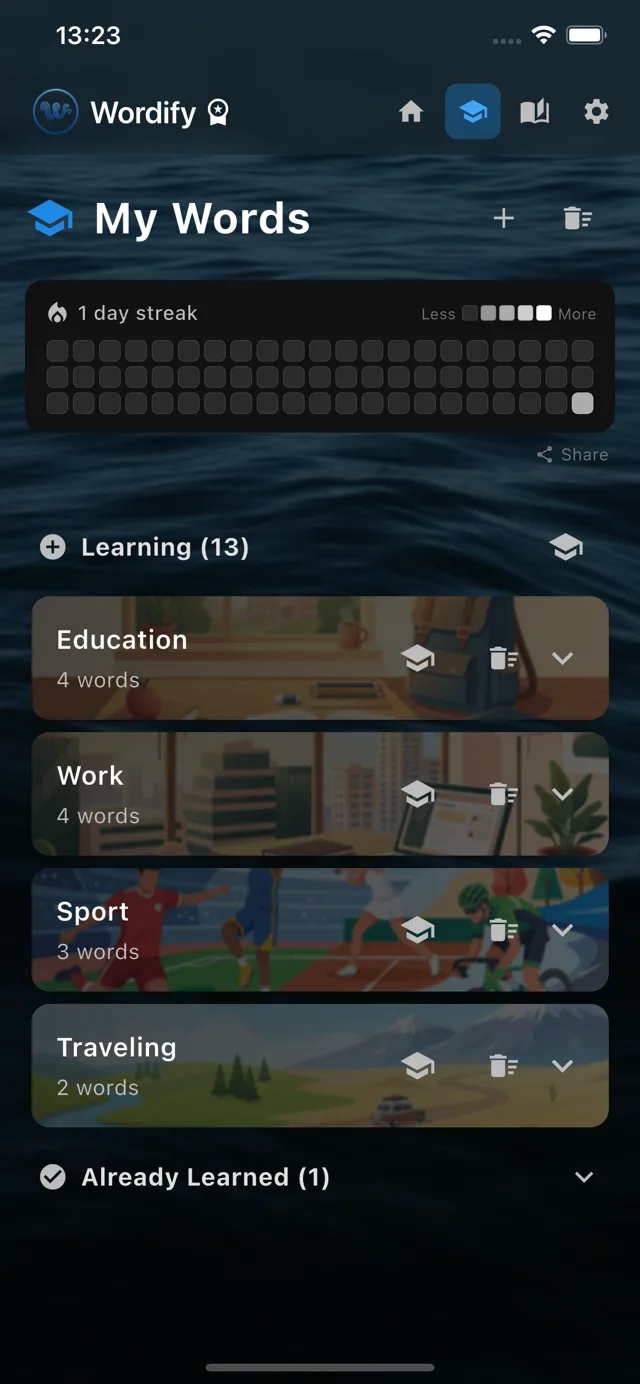
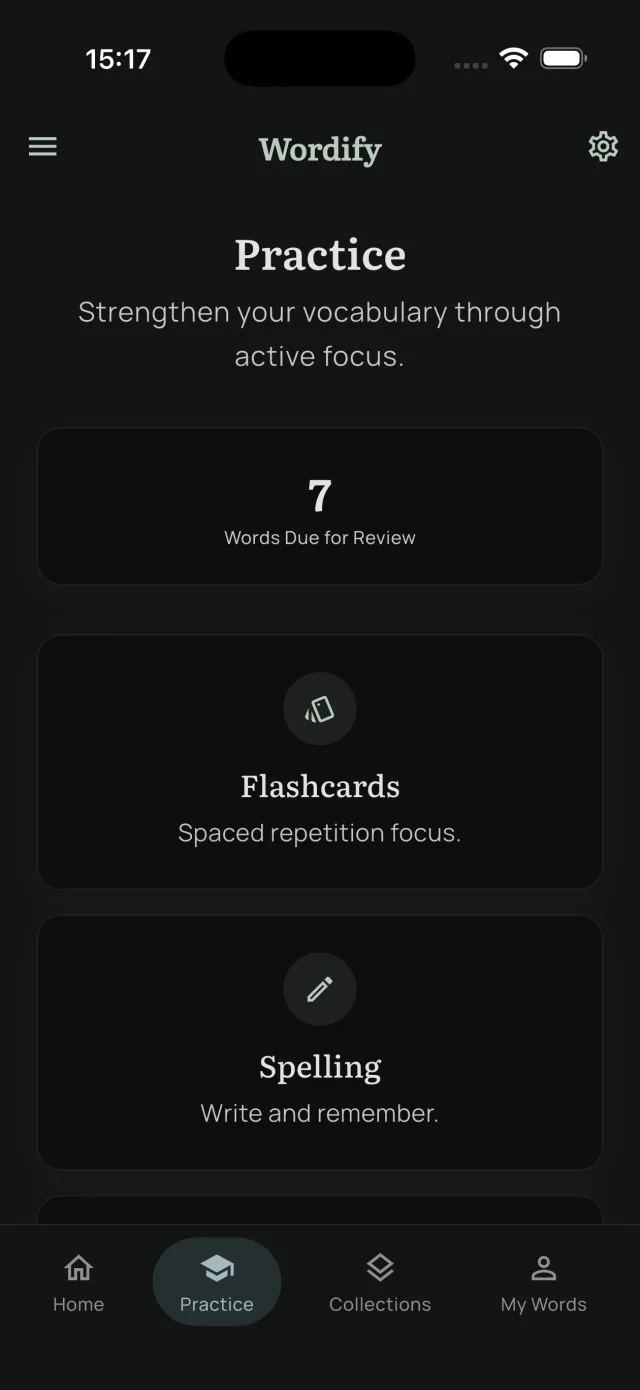
Navigation sat at the top, with small icons and no labels. Four tiny icons in the top bar, no text, no bottom nav. People had to guess what each one did, tap to find out, and then learn the layout by memory. On a phone, the natural place for primary navigation is the bottom, where the thumb already lives. 2.0 moved it there and added labels, so what each tab does is readable at a glance.
Onboarding had four screens. Welcome, language pair, lock-screen toggle, word rotation toggle. Each screen asked the user to make a decision. By screen four, attention was waning. The fourth screen required granting an Android system permission via a deeply nested Settings page, and for many users that was where the onboarding journey simply ended.
The "Set up notifications" toggles defaulted to OFF. This was the worst single design decision in the original app. Users finished onboarding with the core passive-learning features disabled. They never experienced what made Wordify different from other flashcard apps. They saw a standard flashcard interface, got bored, and moved on.
I had built a passive-learning app where most users never enabled passive learning. That's not a UX issue. That's a product failing to deliver on its own premise.
Reason 2: I couldn't add a light theme without rebuilding everything
This sounds technical, but it had real product implications.
The original Wordify was designed dark-mode-first. The dark backgrounds, water imagery, and gradient overlays were all chosen for a dark aesthetic. Beautiful in their context, until I tried to add a light mode.
The cracks showed quickly:
- Color contrast had been tuned for dark mode only.
- Some screens had hardcoded color values instead of semantic tokens.
- Surface tones and accent choices were picked for a dark canvas; on cream they read flat.
- The brand identity didn't carry through to a light version.
Adding light mode would have required revisiting every screen and rebuilding the color system from scratch. At that point it wasn't a feature addition. It was a redesign.
So I committed. A full redesign instead of patches.
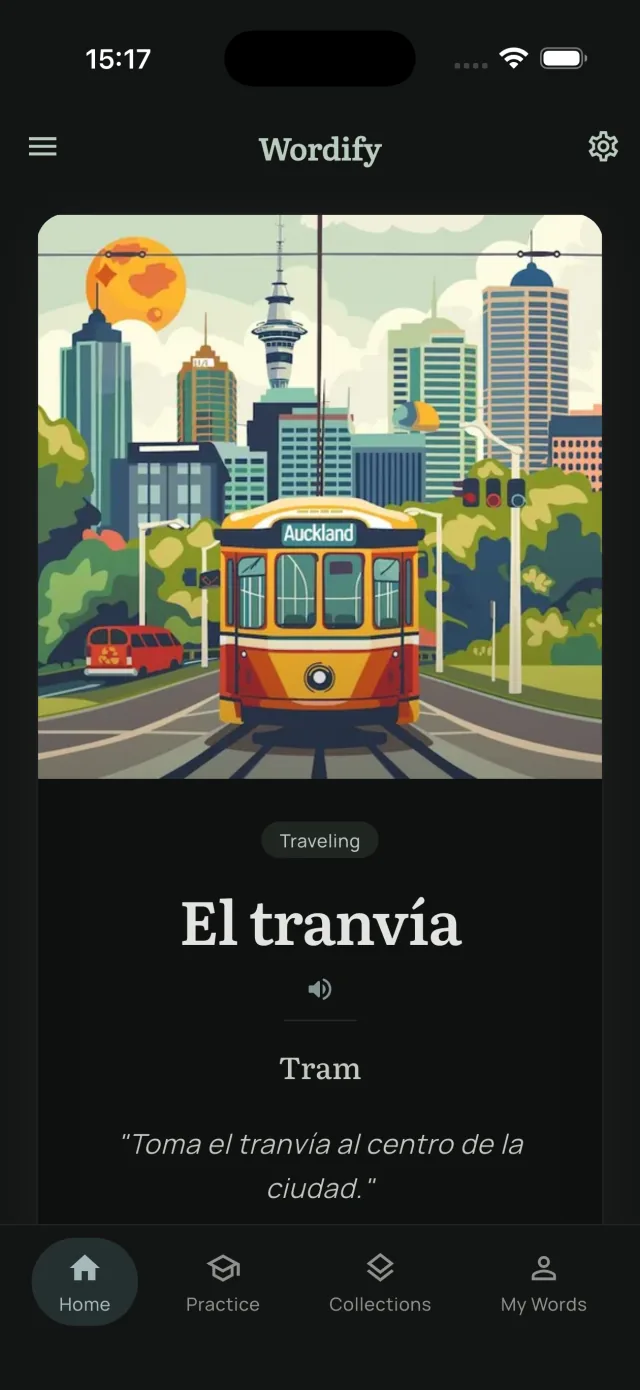
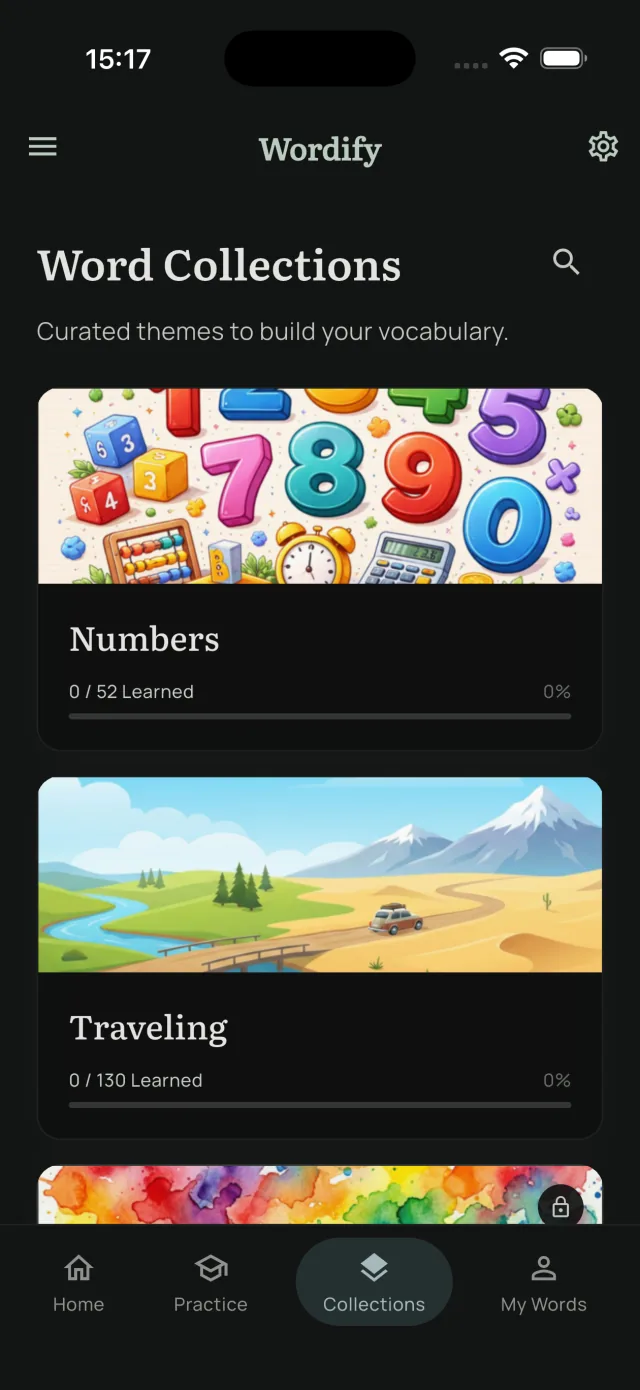
2.0 in both themes
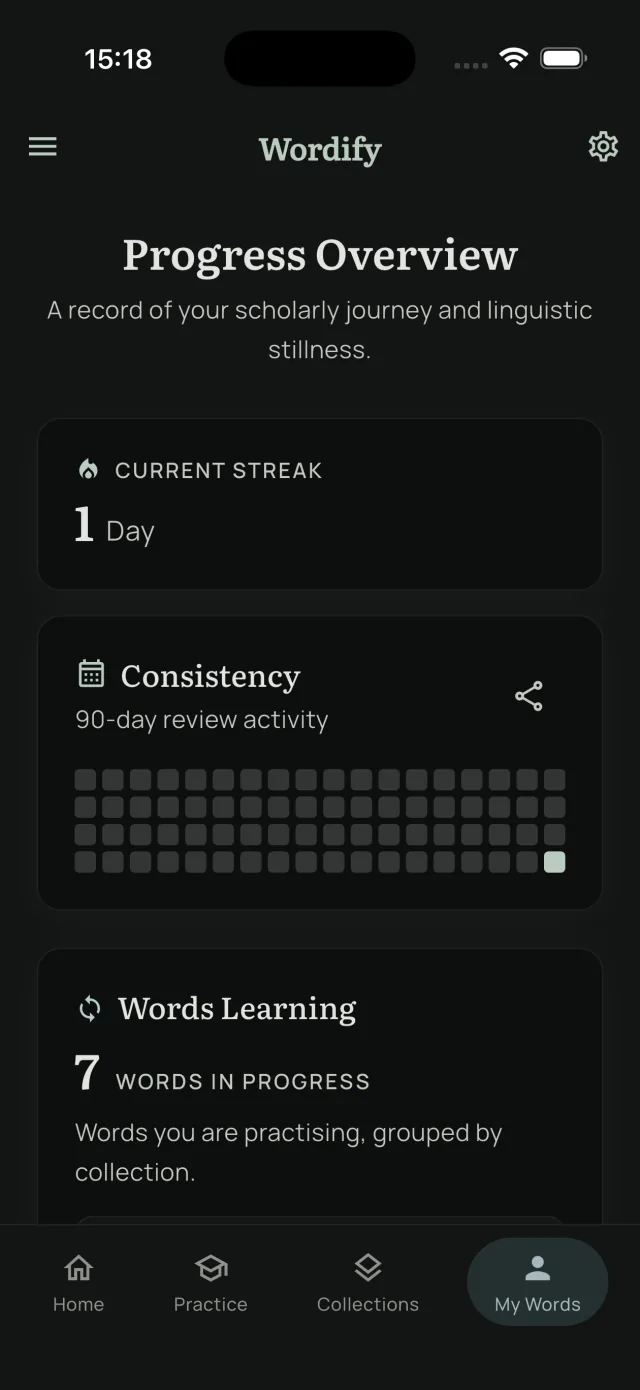
One design system, two palettes. Every screen is now built from semantic color tokens, so dark mode is a re-skin, not a re-design.
Reason 3: the brand wasn't distinctive enough
This was a harder problem to admit.
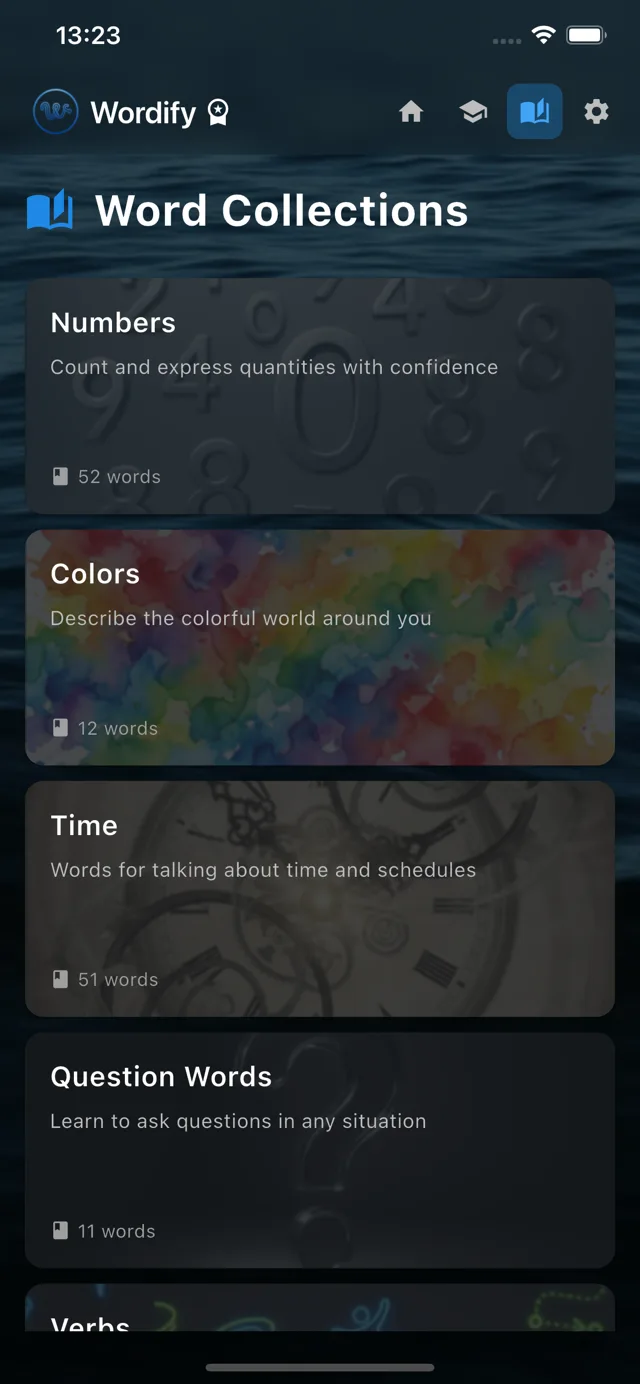
The original Wordify was visually generic. Dark mode. Bright blue accents. Sans-serif typography. It looked like every other language app on the App Store. There was nothing about it that said: this is different.
The product was different. Passive learning through widgets is genuinely uncommon. Most vocabulary apps push you to open them and grind through gamified exercises. Wordify takes the opposite approach: words come to you, throughout the day, without demanding attention. But the visual design didn't communicate that.
I spent weeks thinking about this. The conclusion: Wordify was trying to be "another language app" when its actual positioning was something else entirely.
Wordify is for people who don't want gamification. Who don't want streaks and badges and confetti animations. Who find Duolingo's hyperactivity exhausting. Who want vocabulary to slip into their day quietly, without demanding their focus.
That's a sophisticated, calm, deliberate audience. The visual design needed to match.
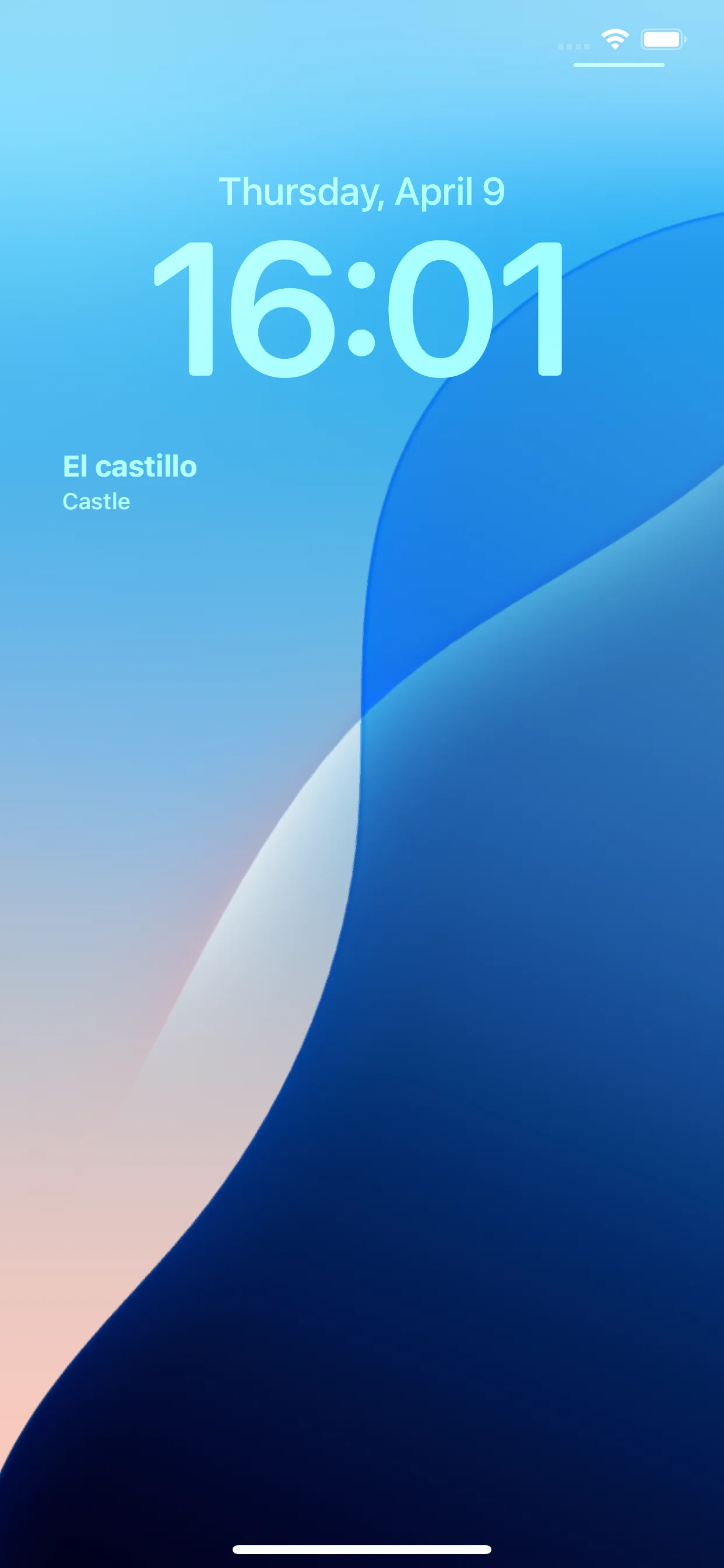
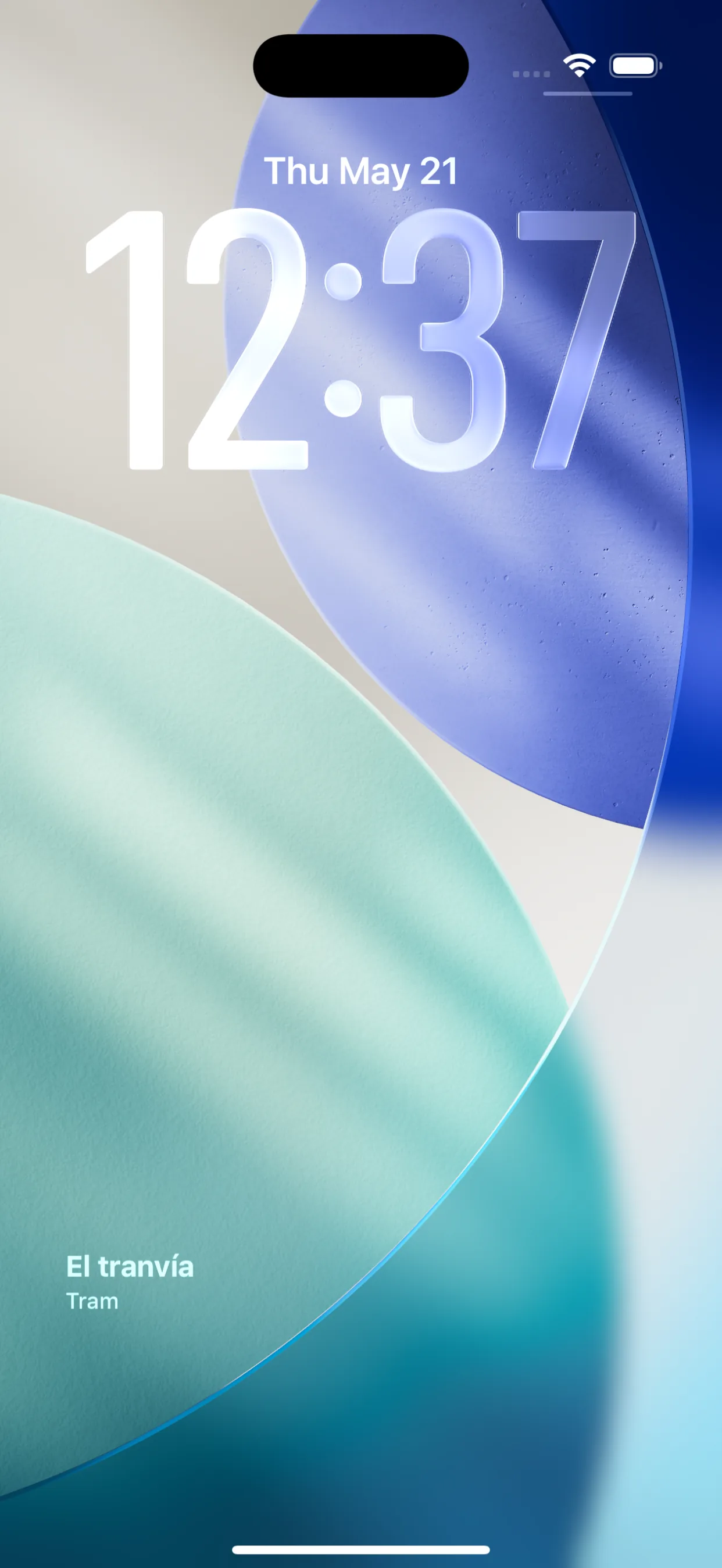
Old vs new
A side-by-side on the same screens, just to see the gap.
1.0 original
Dark blue, water imagery, bright accents. Generic language-app aesthetic.
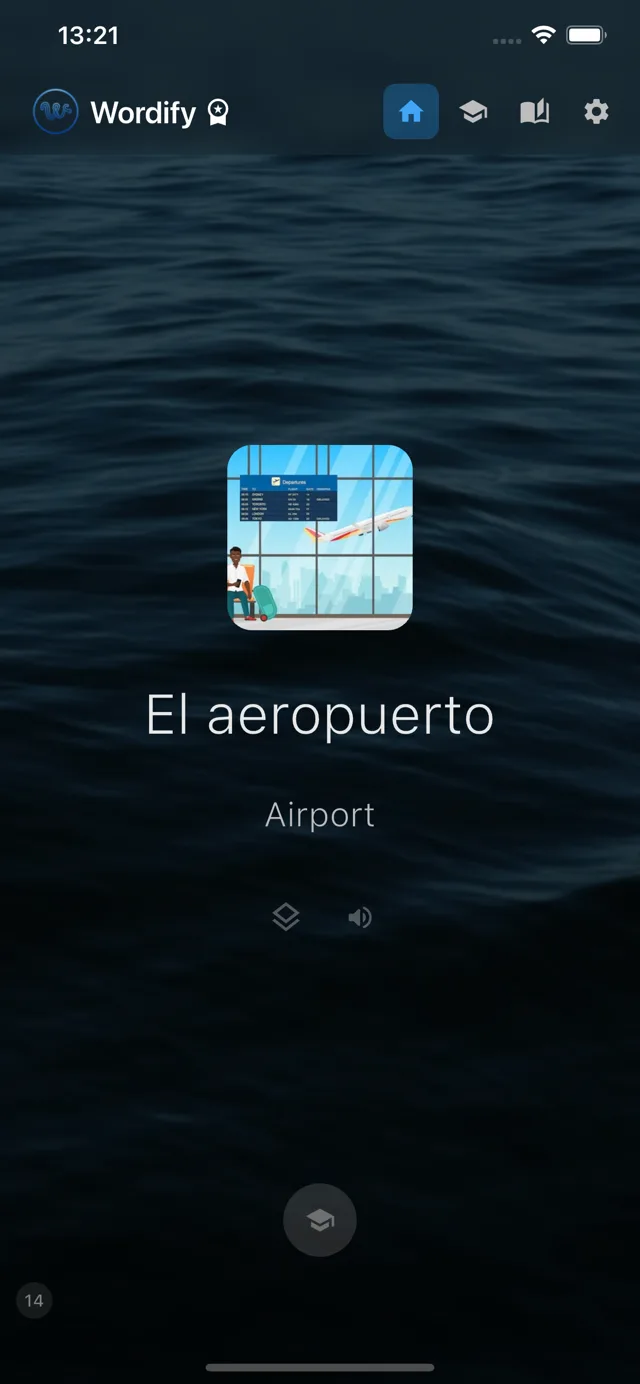
2.0 redesign
Cream surfaces, sage green accent, serif headings. Same features, calmer voice.
What 2.0 became
I redesigned Wordify around two principles.
Calm over loud. Cream backgrounds instead of dark. Sage green accents instead of bright blue. Serif typography instead of sans-serif. The aesthetic suggests a quiet study session in a library, not a notification-heavy game.
Words come to you. Onboarding shrunk from 4 screens to 3. The toggles for notifications and the daily reminder now default to ON. New users finish onboarding with passive learning already enabled. They experience what makes Wordify different from minute one.
I also added some new things.
Initial Word Discovery. Right after onboarding, new users see a few cards with sample words and either save them or skip. By the time they land on the home screen, they already have a small personal vocabulary collection. This solves the empty-app problem: the awkward moment when you finish onboarding and there's nothing for you to do yet.
Post-training prompt. When a user completes their first training session, a small modal appears: "Great work. You just learned three new words." It offers a chance to explore what's behind the paywall, but it can be dismissed easily and only appears once. It catches engaged users at a natural moment rather than interrupting them.
Brand vocabulary. "Ambient Word Feed" instead of "Notifications." "Daily Review Reminder" instead of just "Reminder." "Cognitive Stillness" instead of "No distractions." These phrases might sound a little pretentious in isolation. Together they signal that Wordify takes itself seriously as a product for people who take their learning seriously.
I also removed things.
Custom backgrounds with Unsplash search. A feature I had built early on. Looked clever, did not actually improve learning, added complexity. Removed.
The "Next" button being Premium-only on widgets. A small frustration without conversion impact. The button is now available to everyone.
The exact-alarm permission screen from onboarding. Android 12+ requires a confusing system-level permission for exact alarms, and the original onboarding pushed every new user through it. Most people don't need exact timing: rotating a word at 8:00 PM versus 8:14 PM has no effect on learning. The prompt is no longer part of onboarding, and the permission is now an optional toggle in Settings for anyone who wants minute-precise rotations.
Each of these was a small drag on the experience. Removing them simplified everything.
What I learned
A few things I wish I had known when I built 1.0.
Default settings are a design decision. Defaulting toggles to OFF wasn't laziness. It was an active choice that shaped user behavior in the wrong direction. Defaults are not neutral.
Distinctive matters more than polished. A polished generic app loses to a slightly less polished distinctive app. Wordify 1.0 was technically polished. It just wasn't distinctive enough to be memorable.
Brand voice is a product decision, not a marketing decision. The choice to use phrases like "Ambient Word Feed" instead of "Notifications" is intentional. It tells the user what kind of app this is and what kind of user it's for. That filtering is valuable. Some users will find the voice pretentious and leave, and that's fine. The right users will find it appealing and stay.
Other people's first impressions change everything. I learned more from a friend's first session with Wordify than I had in weeks of using it myself. As the developer, I knew the app too well. I couldn't see the friction. They could.
If you would design it differently from scratch, that is evidence you should redesign. I dragged my feet for weeks because of sunk-cost thinking. I had already spent so many hours on the original. The redesign took weeks more work, but in retrospect it was the only thing I could have done. Patches were not enough.
What's next
Wordify 2.0 is now in both the App Store and Google Play. The new aesthetic, the simplified onboarding, the calmer brand voice: all of it is live.
I'm not finished. There are more collections to add, more languages to support eventually, more refinements to make. But the foundation is now where I want it. Each future change can build on this rather than fight against it.
If you tried Wordify 1.0 and it didn't click for you, give 2.0 a look. The product I had in my head when I started building Wordify is now the one that's actually shipped.
Try the app
Vocabulary that comes to you
Through home screen widgets, lock screen widgets, and notifications. 7-day free trial. No account needed.