
Open your phone. Glance at the lock screen. What did you just see?
For most people: a clock, the weather, a battery percentage, maybe a calendar event. Useful, but the same things you saw the last hundred times you looked.
The average person checks their phone 96 times a day. That's 96 chances to learn something. Most of those glances pass without leaving anything behind.
A small number of apps have figured out how to use that real estate differently - turning the lock screen into a passive teacher. You glance at the time and accidentally pick up a Spanish noun. You unlock your phone and a new fact slips into your head. Repeated over weeks, it adds up to real knowledge without any deliberate study time.
Here's an honest comparison of the apps doing this well in 2026, plus what to look for if you're trying to pick one.
What makes a learning lock-screen widget actually work
Not every lock-screen widget is created equal. After spending months building one myself and trying every alternative I could find, here's what separates the apps that actually teach you something from the apps that just look like they do.
1. Words rotate frequently enough that you see new content each glance. If the widget shows the same word for an hour, you'll memorize the surface but not internalize the meaning. Good apps rotate every 15 minutes to a few hours.
2. The widget is glanceable in under one second. You're checking your phone for the time, not for a study session. If the widget requires you to focus to read it, you won't.
3. Repetition is intelligent, not random. Showing the same 50 words in the same order every day is just noise after week one. Words you don't know yet should appear more; words you've mastered should phase out. (The mechanics of how spaced repetition actually works are worth understanding before you trust an app's marketing claims.)
4. The lock screen widget is small but readable. Apple's iOS 16+ accessory widgets are TINY. Apps that try to cram too much information in produce widgets you literally can't read at a glance.
5. Updates don't require unlocking the app. Some apps' widgets only update when you open the main app. That defeats the entire purpose. The widget needs to refresh on its own schedule.
What this looks like in practice
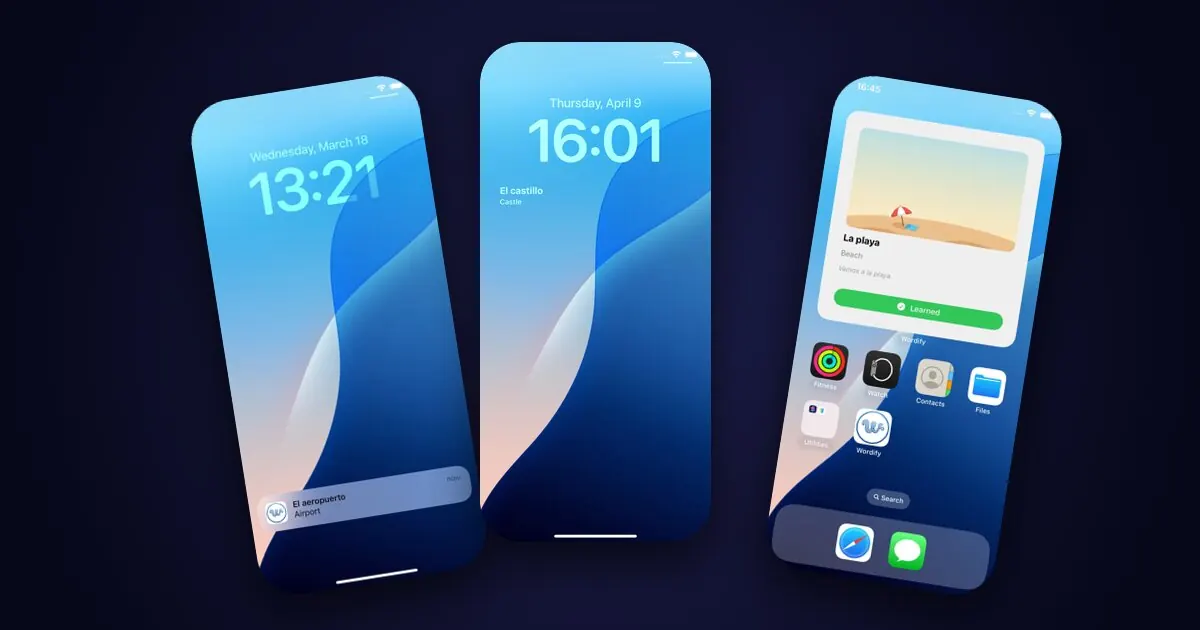
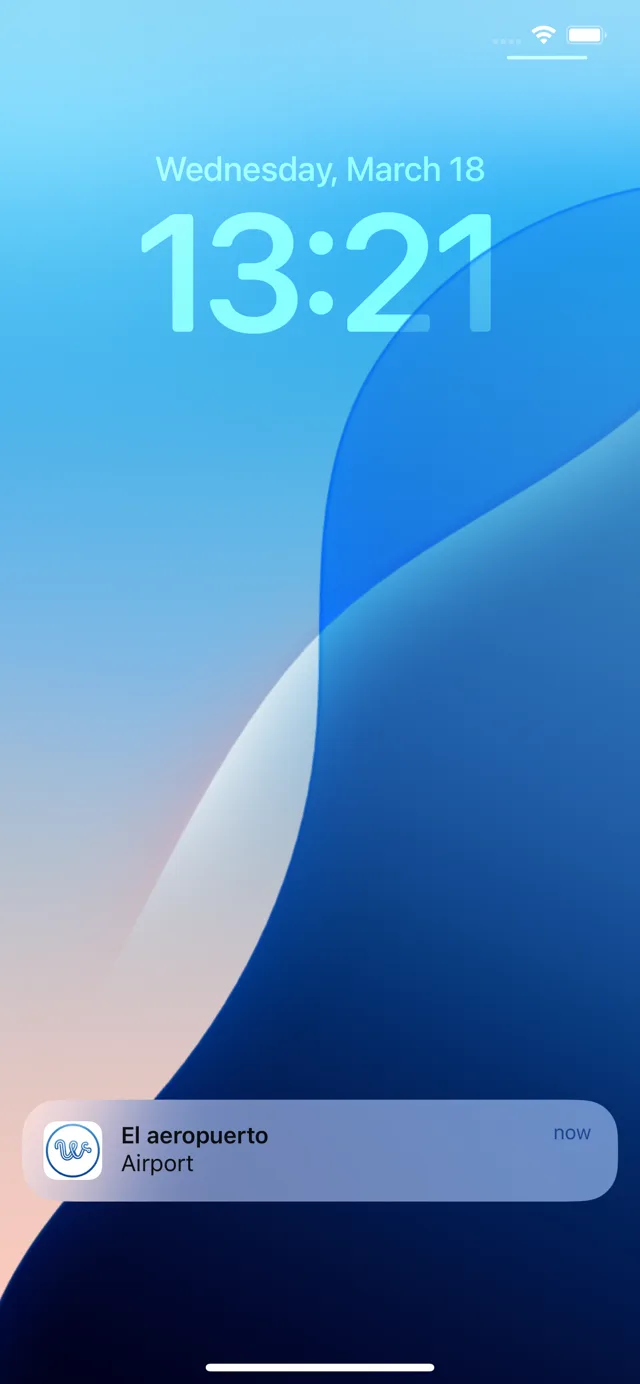
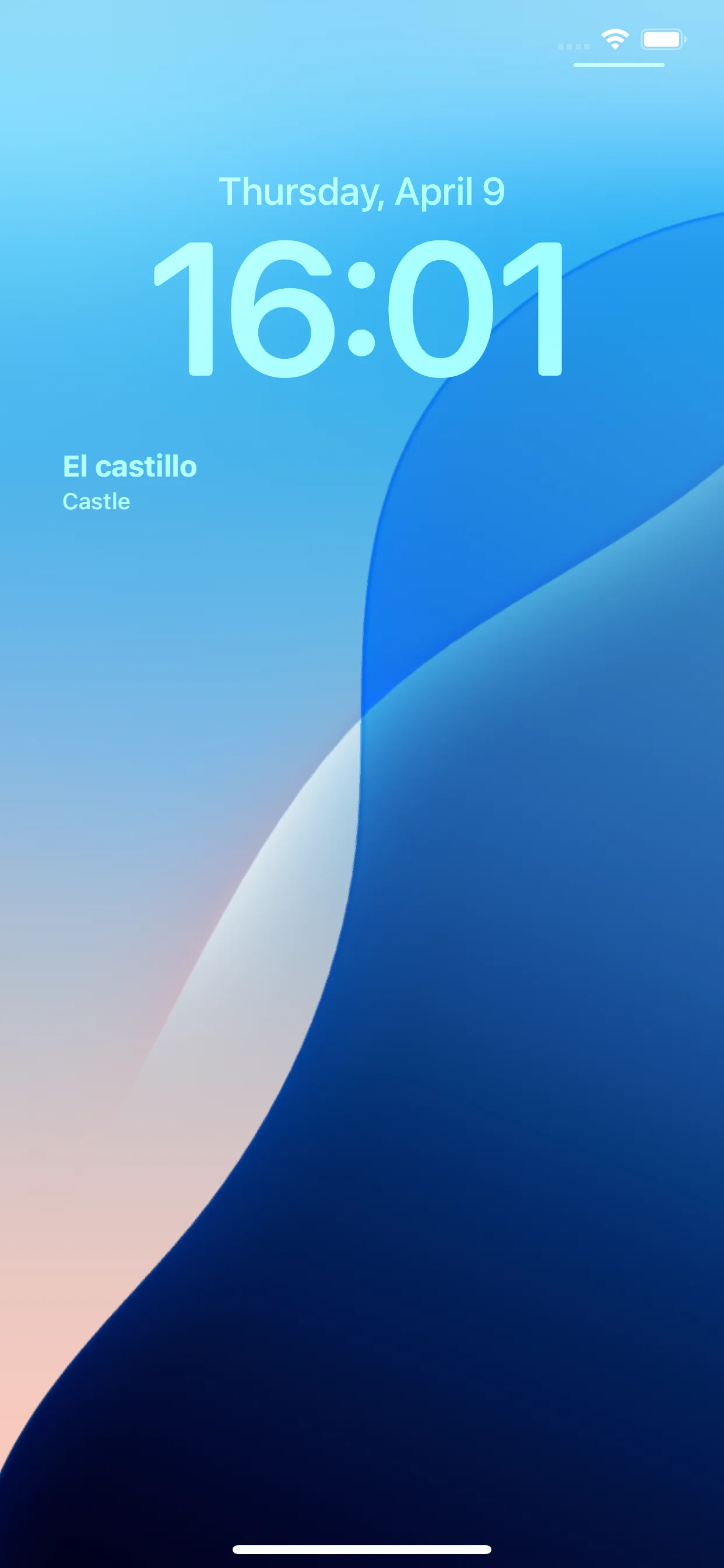
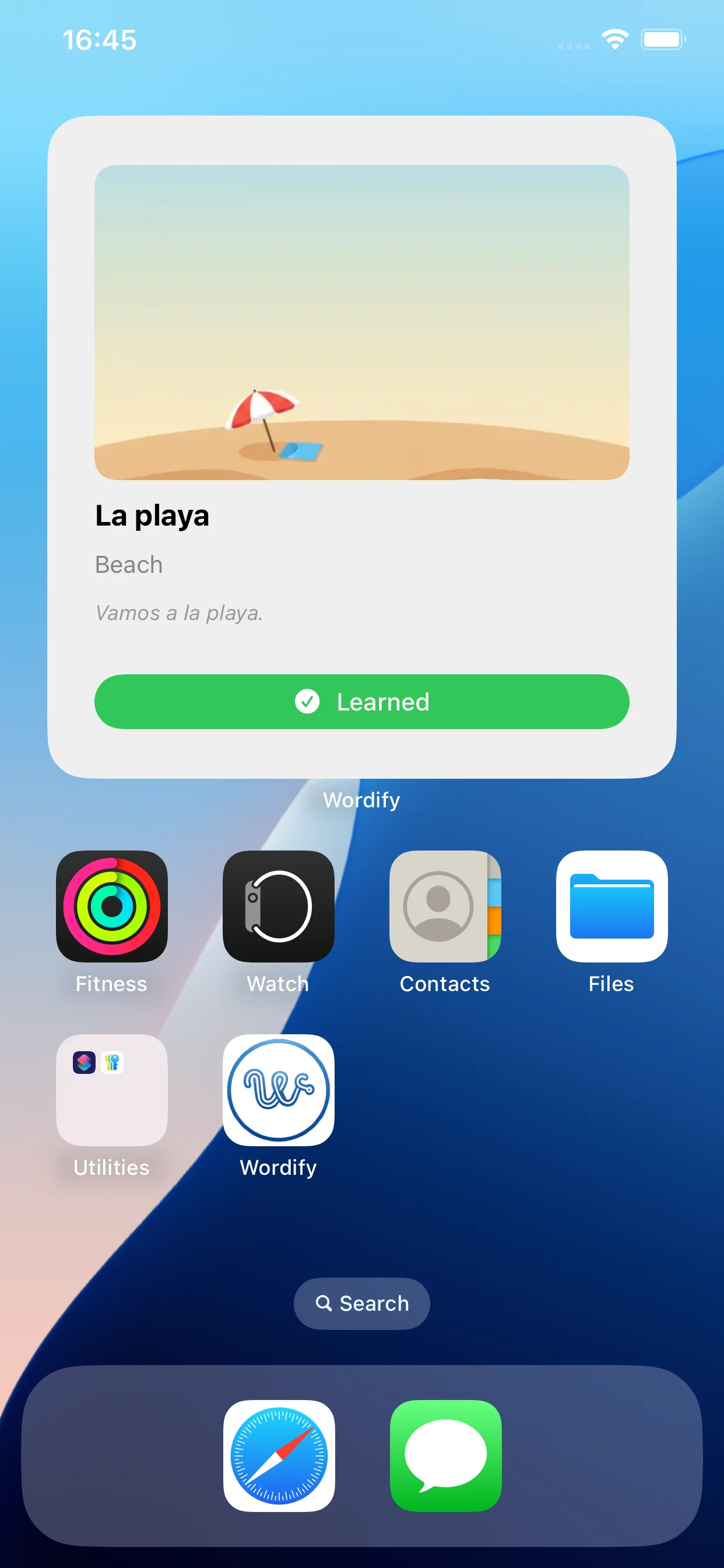
A notification, a lock-screen widget, and a home-screen widget - the surfaces you already glance at.
With those criteria in mind, here are the apps worth considering.
The apps worth knowing about
I'll be upfront: I built one of these (Wordify). I'll do my best to compare honestly, including pointing out where competitors do things better. The goal of this post is to help you find the right tool, not to sell you on mine.
1. Drops
What it does: Drops uses lock-screen widgets to surface vocabulary from its visual flashcard system. Each widget shows a word with a small illustrated icon.
Strengths:
- Beautiful visual design - Drops is genuinely the most polished app in this category
- Wide language support (50+ languages, more than any competitor)
- The illustrations are memorable and make words stick
Weaknesses:
- The widget shows words from the lessons you've completed, but doesn't independently rotate based on a spaced repetition schedule
- Premium subscription is expensive (~$13/month or ~$70/year) - significantly more than alternatives
- Free tier is heavily restricted (5 minutes of practice per day)
- The visual style is cute but feels less serious for adult learners
Best for: Visual learners who want a beautiful, polished experience and don't mind the price tag.
2. Memrise
What it does: Memrise's lock-screen widget surfaces words from your active learning courses, with audio playback if you tap.
Strengths:
- Native speaker audio is excellent
- Course catalog is comprehensive
- Free tier is generous
Weaknesses:
- The widget is more of an afterthought than a core feature - it shows words but doesn't drive learning the way the in-app sessions do
- Updates can be slow; sometimes the widget shows the same word for hours
- Recent app redesigns have moved focus toward AI conversation features, leaving the widget feeling neglected
- Spaced repetition implementation is opaque - hard to know if it's actually working
Best for: Learners who care more about audio pronunciation than widget-based passive learning.
3. Anki (with third-party widget plugins)
What it does: Anki itself doesn't have a native iOS widget, but on Android, third-party launcher widgets can surface Anki cards on the home screen.
Strengths:
- Anki's spaced repetition is the gold standard - nothing in this list beats it for raw algorithm quality
- Completely customizable cards (you can add anything: images, audio, tables, code)
- Free on Android, $25 one-time on iOS
- Massive community decks for any subject
Weaknesses:
- No native lock-screen widget on iOS at all (as of 2026)
- The Android widget options are clunky and require significant setup
- Steep learning curve - Anki is powerful but not friendly
- Visual design is genuinely poor; many people abandon it just because it looks ugly
Best for: Power users who want maximum control and don't mind the setup time. Probably not the right pick for casual passive learning via the lock screen specifically.
4. Wordify (yes, mine)
What it does: Lock-screen and home-screen widgets across iOS and Android that surface vocabulary words on a customizable rotation, driven by SM-2 spaced repetition.
Strengths:
- Lock-screen widgets on iOS 16+ in two formats (rectangular and inline)
- Home-screen widgets in three sizes on both platforms with interactive "Learned" and "Next" buttons
- Words rotate independently of opening the app - true passive learning
- SM-2 spaced repetition with a forgiving reset (interval drops by 50% on errors instead of resetting to 1 day)
- 7 supported languages, any pair as source/target
- You pick what to learn - any collection, any subset, even your own custom words - instead of being locked into a fixed course path
- Affordable subscription, with a one-time lifetime option for people who hate subscriptions
- Offline-first - vocabulary is stored on your device, no account needed
- Free tier covers Numbers and Travel collections fully
Weaknesses:
- Only 7 supported languages - Drops and Memrise have more
- No native speaker audio yet (text-to-speech only)
- New product (released April 2026) - less battle-tested than Anki or Memrise
Best for: Learners in one of the 7 supported languages who want native widget integration on both iOS and Android, at a low price, without the gamification overhead of Duolingo. If passive lock-screen learning is your priority, this is what I built specifically because nothing else did this well at this price.
5. Honorable mention: WordWidget, FlashcardsWidget, etc.
There are several smaller niche apps that do nothing but lock-screen vocabulary widgets - usually $0.99–$2.99 one-time on the App Store. Quality varies wildly. Most are static word lists without spaced repetition. Some haven't been updated for newer iOS versions.
These are worth a try if you want something dead simple and don't need spaced repetition. If you want actual learning over months, you'll outgrow them quickly.
What about Duolingo?
Duolingo deserves a special mention because it's the obvious comparison and because most people ask about it.
The honest answer: Duolingo doesn't really have a lock-screen widget that teaches you vocabulary. Their widget is mostly a streak counter and a "tap to open the app and do today's lesson" reminder. It's a behavioral nudge, not a passive learning tool.
That's not a criticism of Duolingo - it's just a different philosophy. Duolingo wants you to open the app and do the gamified daily lesson. Apps in this list want you to learn without opening anything.
If gamified daily lessons work for you, stick with Duolingo. If they don't, the apps above are designed for a different user.
How to actually choose
Here's a simple decision tree:
- You speak a less-common language and need broad language support → Drops or Memrise
- You want maximum algorithm quality and don't mind ugly UI → Anki
- You want native iOS + Android widgets at a reasonable price for one of 7 popular languages → Wordify
- You want gamified daily lessons more than passive learning → Duolingo (but its widget isn't really for this)
- You want the cheapest possible solution and don't need real progress tracking → one of the niche $0.99 widget apps
There's no single "best" - each app makes different tradeoffs. Pick the one whose tradeoffs match your situation.
What you should test before committing
Before paying for any of these, install and try the free tier for 7 days minimum. Specifically test:
- Does the widget update automatically without opening the app? Lock your phone for an hour, come back, see if the word changed.
- Does the same word repeat too often? Pay attention to whether you're seeing variety.
- Does it remember what you marked as "learned"? Mark a few easy words and check if they stop appearing.
- Is the lock-screen widget readable at a glance? Stand 30cm from your phone and see if you can read it without focusing.
- Does the app feel like it respects your time? Or does it nag you with streaks, push notifications, and cross-sell screens?
If an app fails any of these tests, no amount of marketing copy is going to make it work.
Closing
The lock screen is the most overlooked piece of real estate in language learning. Most apps treat it as a marketing surface. A few - including the one I built - treat it as the entire product.
If you're trying to learn a language and you check your phone 96 times a day, you have 96 free opportunities to absorb something. The right widget turns those moments into a quiet, compounding habit. The wrong one is just another clock face.
Pick well. Or build your own - that's how Wordify started.
See also:
- How spaced repetition actually works - the algorithm that decides which word the widget shows you next.
- Why I stopped using Duolingo - why a widget-based app exists in the first place.
- 10 best Duolingo alternatives in 2026 - the wider comparison, beyond widget apps.
- How to add a vocabulary widget to your lock screen - the step-by-step setup, once you have picked one.
Try the app
Vocabulary that comes to you
Through home screen widgets, lock screen widgets, and notifications. 7-day free trial. No account needed.