
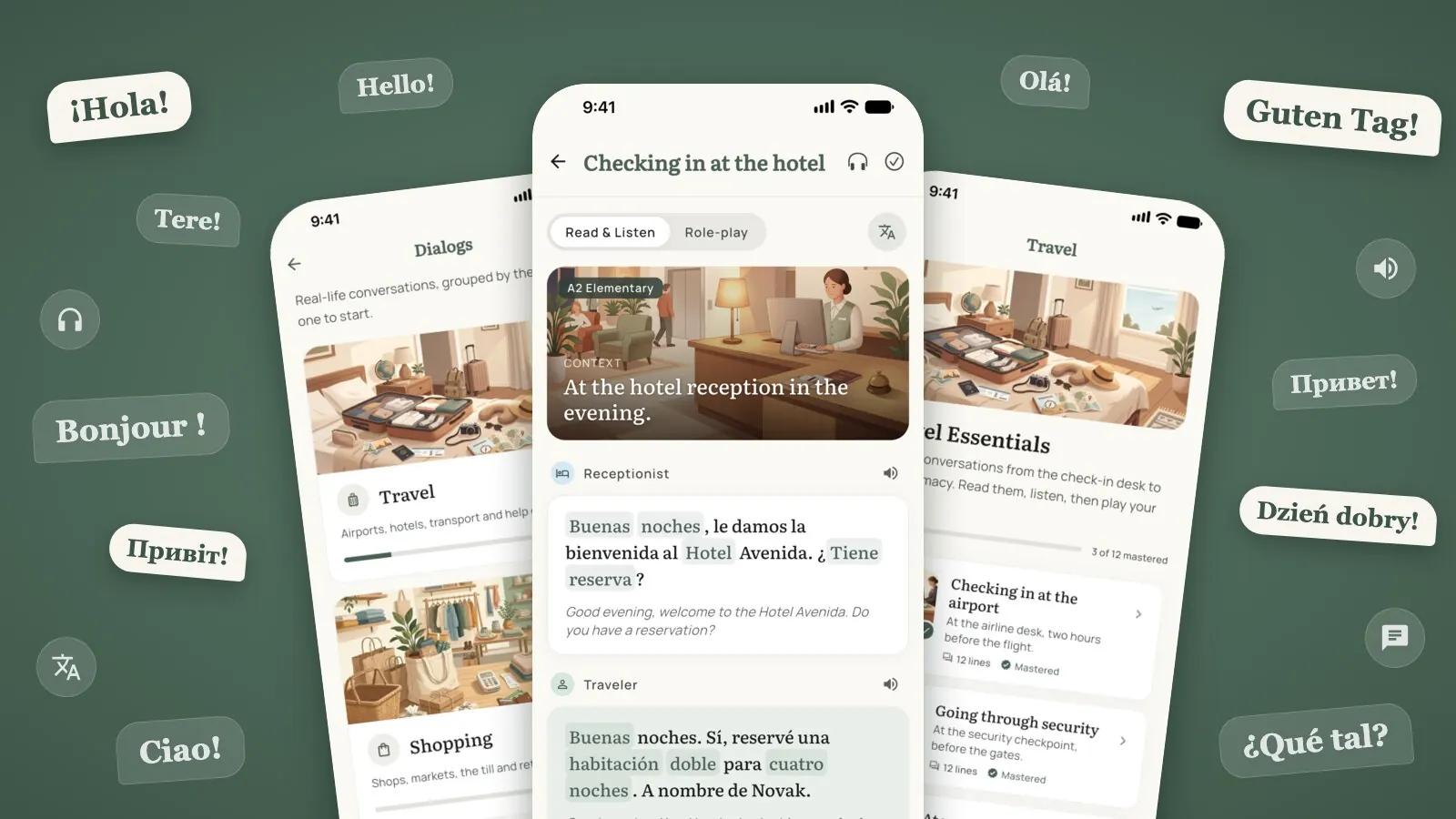
You can know two thousand words and still freeze at a hotel desk. The receptionist says something friendly and fast, you recognise half of it, and the sentence you prepared on the plane is gone.
Single words are the bricks. What that moment needs is the wall: whole sentences, in the order people really say them, with someone answering back. That is what Dialogs add to Wordify.
Dialogs in Wordify
Pick a theme, pick a situation, read it with translations.
What a dialog is
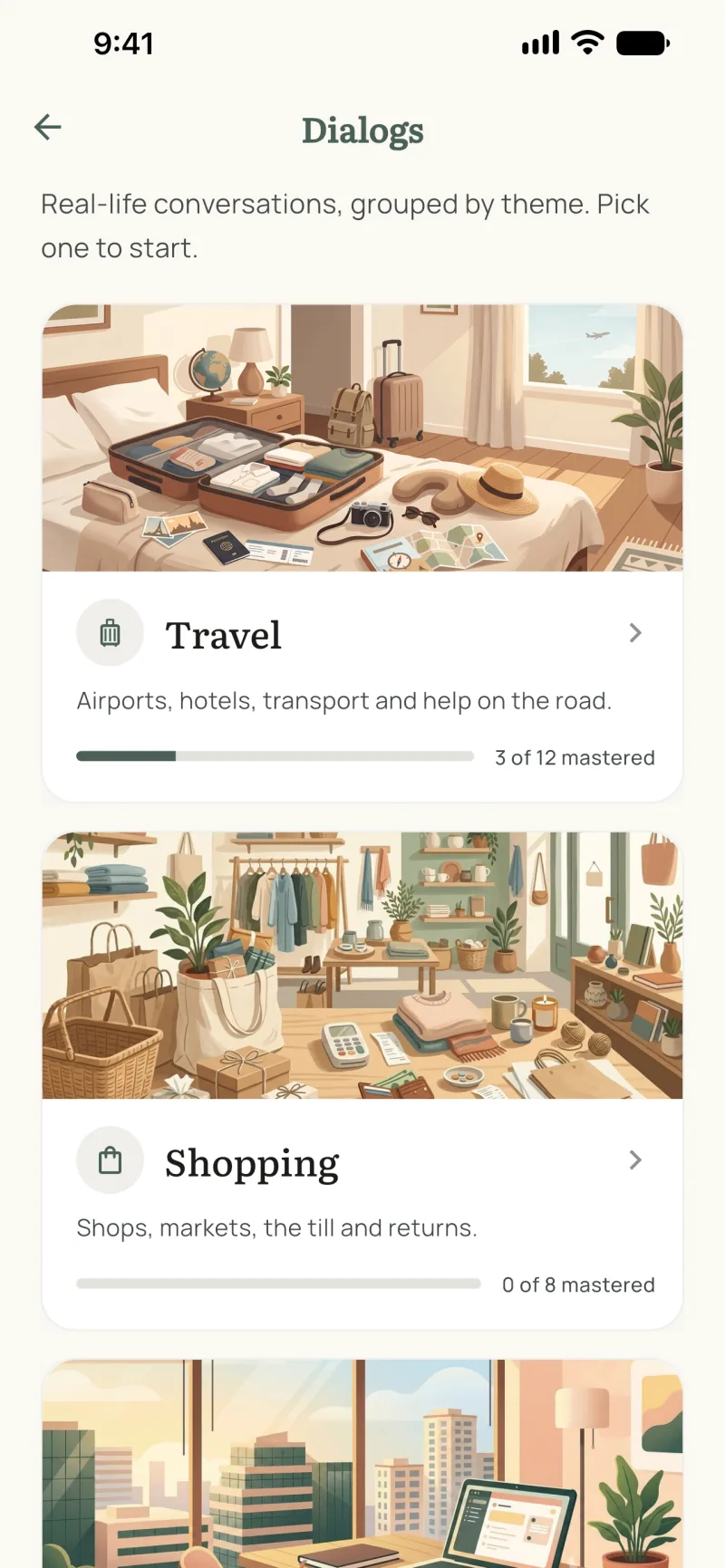
A dialog is one short conversation between two people in one situation: a traveler and a receptionist, a patient and a doctor, a new colleague and a manager. Ten to fifteen lines, one or two sentences each, written the way people speak.
The dialogs are grouped into themes. Some of the situations in each:
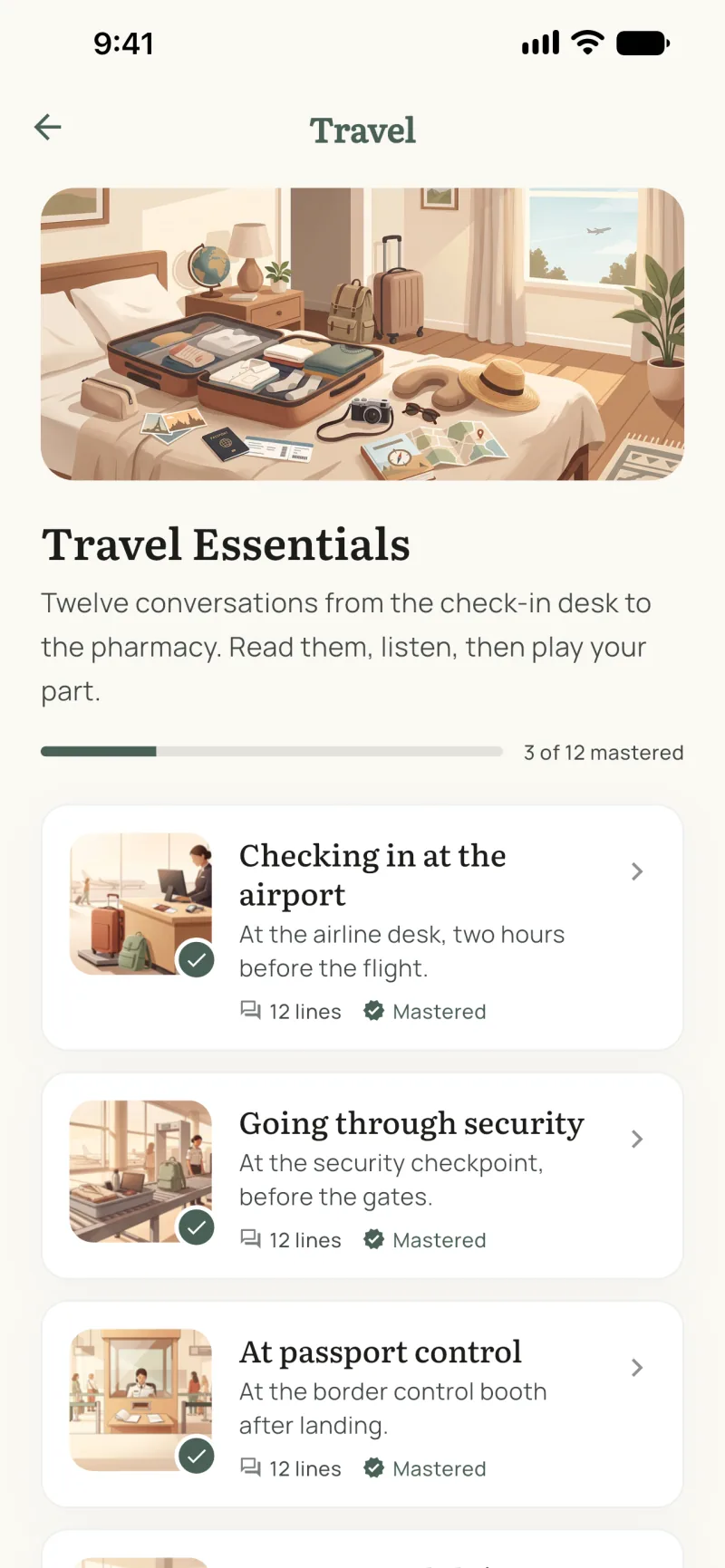
- Travel: airport check-in, security, passport control, lost luggage, a taxi, the hotel, asking directions, a train ticket, a restaurant, a pharmacy, exchanging money.
- Shopping: clothes, the supermarket checkout, the market, shoes, returning an item, the bakery, a gift, electronics.
- Work & study: a job interview, the first day, a team meeting, asking for a day off, calling in sick, enrolling in a course, talking to a teacher, the library.
- Health: making an appointment, at the doctor, the dentist, an emergency call, a hospital visit, the optician, the gym, the physiotherapist.
- Everyday life: renting a flat, meeting the neighbour, calling a plumber, making plans, a family dinner, the post office, a birthday invitation, the hairdresser.
Every dialog is at level A2 or B1 and exists in all ten languages of the app, so it works for any pair: you read in the language you are learning and get the translation in your own.
Read it first
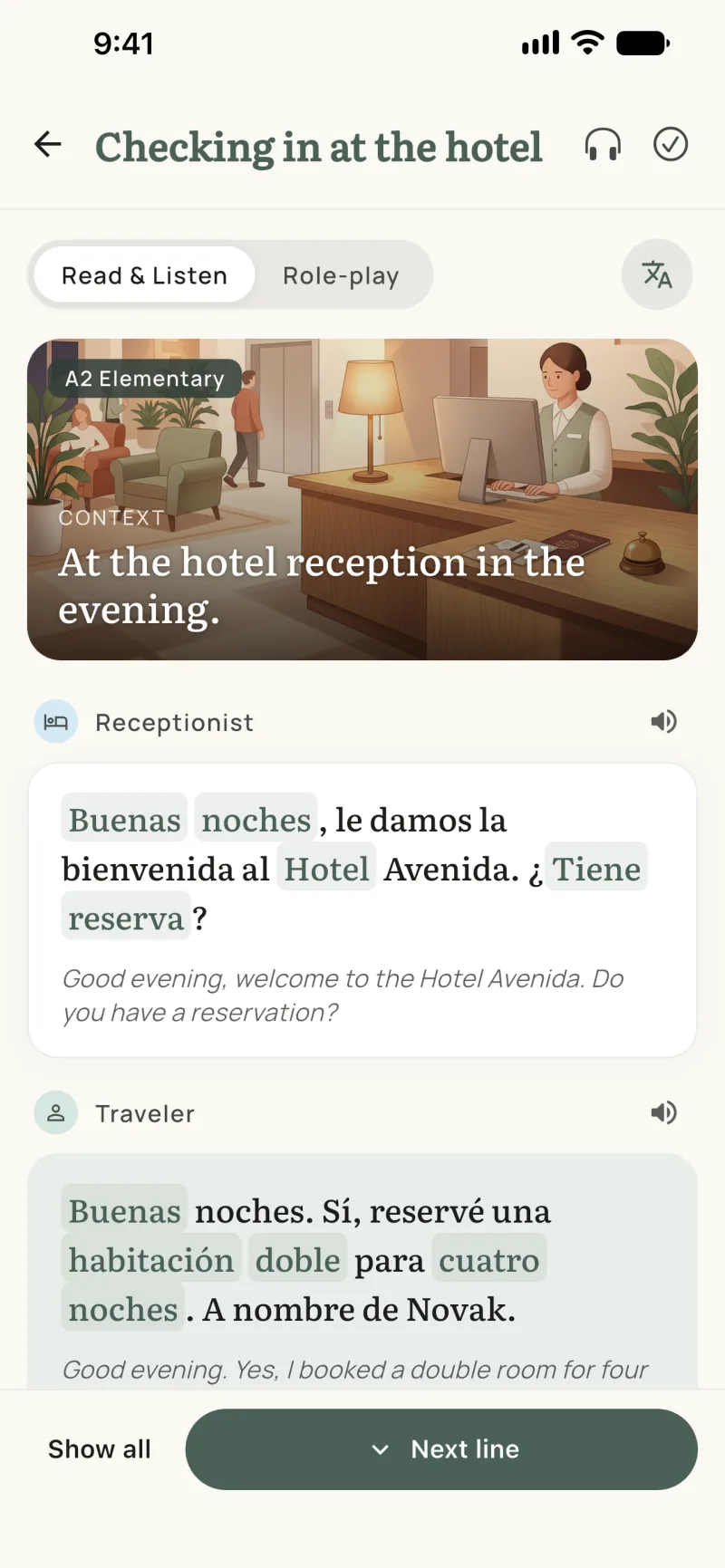
Open a dialog and you get its scene (a picture and one sentence of context) and the first line. Tap Next line and the conversation unfolds one line at a time, which is closer to listening than to reading a page: you take in a sentence before you see the answer to it.
Two things make the reading useful rather than just pleasant:
- Translations when you want them. One switch shows the translation under every line. Turn it off once the dialog starts to feel familiar.
- Words you can tap. The words that are in Wordify's library are highlighted in each line. Tap one to see its card, with the translation and a picture, and save it to My Words. From then on it shows up in your widgets and in training like any other word of yours.
At the end of the dialog there is a list of its key words. Save the ones you want with one tap each, or all of them at once.
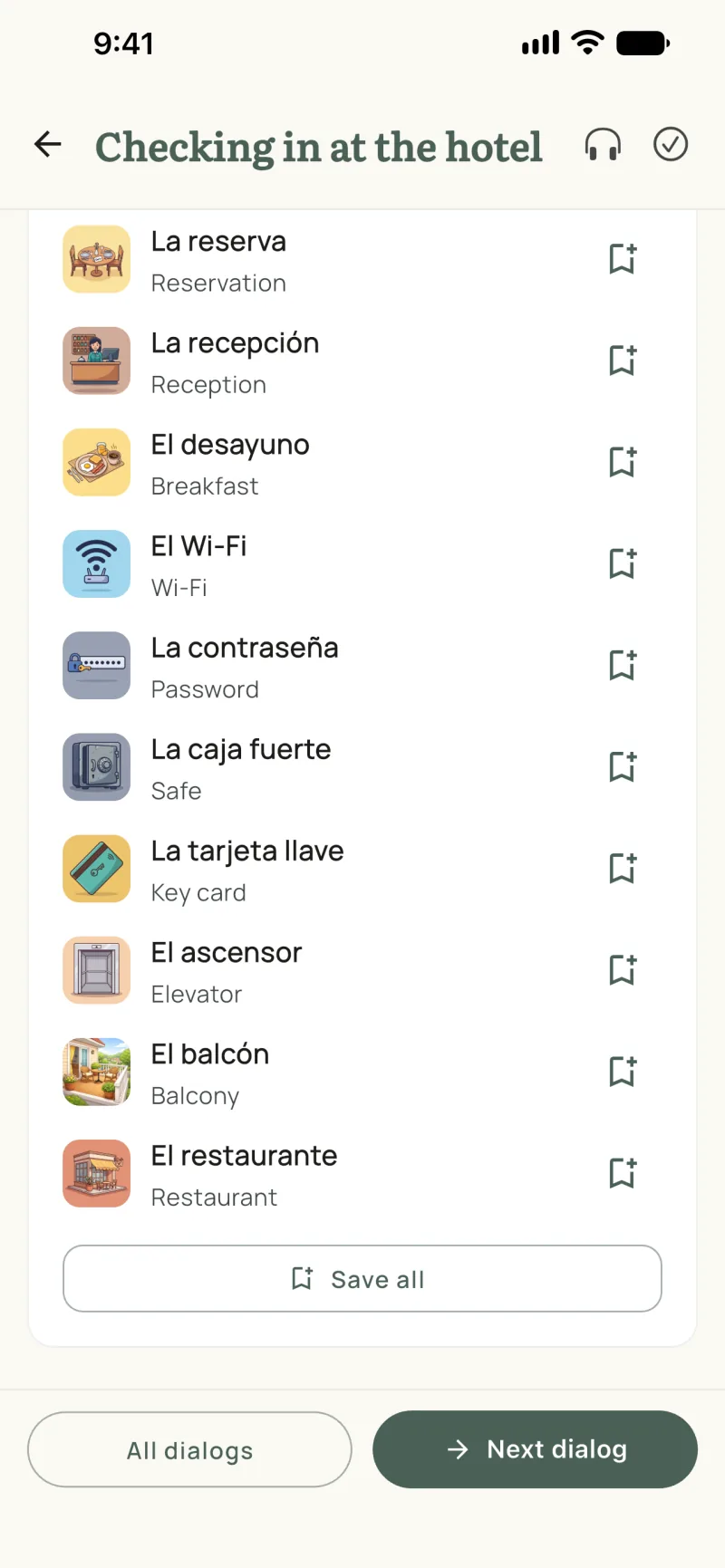
That last part matters. A dialog is a good place to meet a word, but meeting it once is not learning it. Saved words enter spaced repetition, which brings them back just before you would forget them.
Then listen
Tap the headphones and the dialog plays from start to finish, each line lighting up as it is said. Tap the speaker next to a line to hear only that one. Listening is part of Premium.
Many dialogs have a recording with two voices, one per speaker, so it sounds like a conversation and not like a list being read out. Where a dialog has no recording yet, your phone's own voice reads it instead.
If a line goes by too fast, hold the headphones or the speaker instead of tapping: it plays at three quarters of the speed.
Then play your part
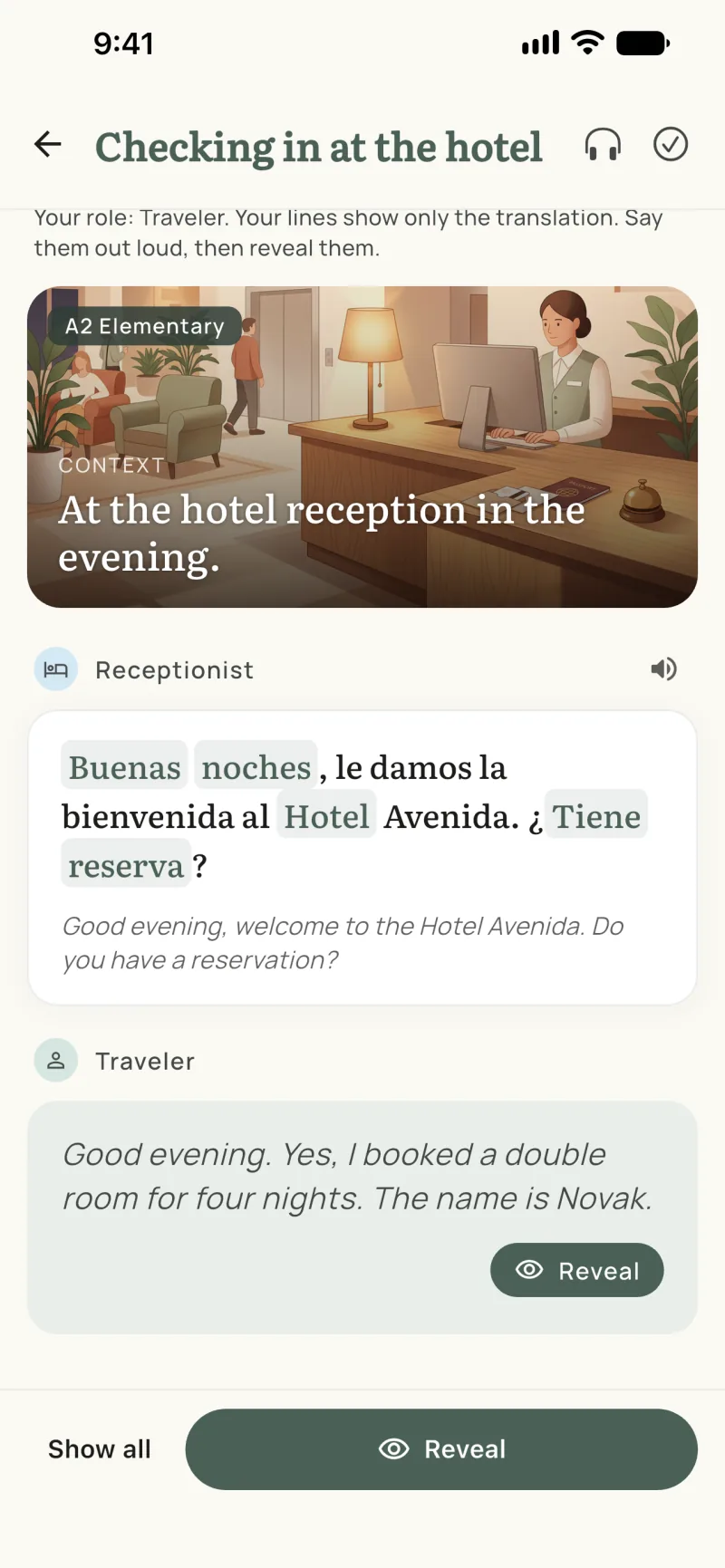
This is the step that turns reading into speaking. Switch to Role-play and the app gives you one of the two roles, usually the traveler, the customer or the patient. The other person's lines appear as before. Yours show only the translation.
Say the line out loud in the language you are learning. Then tap Reveal and compare. Nobody is listening and nothing is graded; the point is the half second in which you have to produce the sentence yourself. Recognising a sentence and being able to say it are different skills, and only the second one helps at the hotel desk.
A dialog you can get through in role-play without peeking is one you can mark as mastered. Each theme shows how many you have.
How to get the most from one dialog
A single dialog is worth about ten minutes spread over a few days:
- Day one, read. Line by line, translations on. Tap the words you do not know and save them.
- Same day, listen. Once with the text, once looking away from the screen.
- Next day, role-play. Say your lines out loud. Really out loud. Mouth muscles need practice too.
- A few days later, role-play again with translations off for the other speaker. If it goes smoothly, mark it mastered and move on.
Start with the situations you will actually be in. If you fly next month, do the airport and the hotel before the birthday invitation.
The honest details
- The first dialogs of every theme are free. Premium opens all of them and lets you listen to them.
- Saving words follows the usual rule. Words from the Numbers and Traveling collections can be saved for free; saving words from the other collections is part of Premium.
- Recordings are not everywhere yet. Some languages and themes are still read by your phone's voice until their recordings arrive.
- It is not a tutor. Role-play does not listen to you or correct your pronunciation. It gives you a script, a partner and a reason to speak.
Quick answers
Is there an app with real-life dialogues for language learners?
Yes. Wordify has short dialogs in themes such as Travel, Shopping, Work & study, Health and Everyday life. Each one is a conversation you might really have, at level A2 or B1, with a translation under every line, audio, and a role-play mode where you say one side yourself.
Are the dialogs free?
The first few dialogs of every theme are free. Premium opens the rest and lets you listen to the dialogs.
Which languages have dialogs?
All ten: English, Spanish, Portuguese, Italian, German, French, Estonian, Polish, Russian and Ukrainian. You read a dialog in the language you are learning and see the translation in your own.
Do the dialogs work offline?
After the first download, yes. The dialogs are not shipped inside the app, so the first time you open them you need a connection. A recording is fetched the first time you listen to that dialog.
See also:
Try the app
Vocabulary that comes to you
Through home screen widgets, lock screen widgets, and notifications. 7-day free trial. No account needed.