
I started Wordify around one belief: the hard part of vocabulary is not understanding words, it is meeting them often enough. That is why the app has lock screen and home screen widgets: you pick up your phone a hundred times a day anyway, so a word might as well be waiting there each time.
The widgets work, and they are the part of Wordify that drives the learning. After a year of using them myself, I wanted the same thing in one more place: on my desk, for the hours when the phone is face down and I am working. That is most of my day, and my eyes drift off the code for a second more often than I would admit. A word could be waiting there.
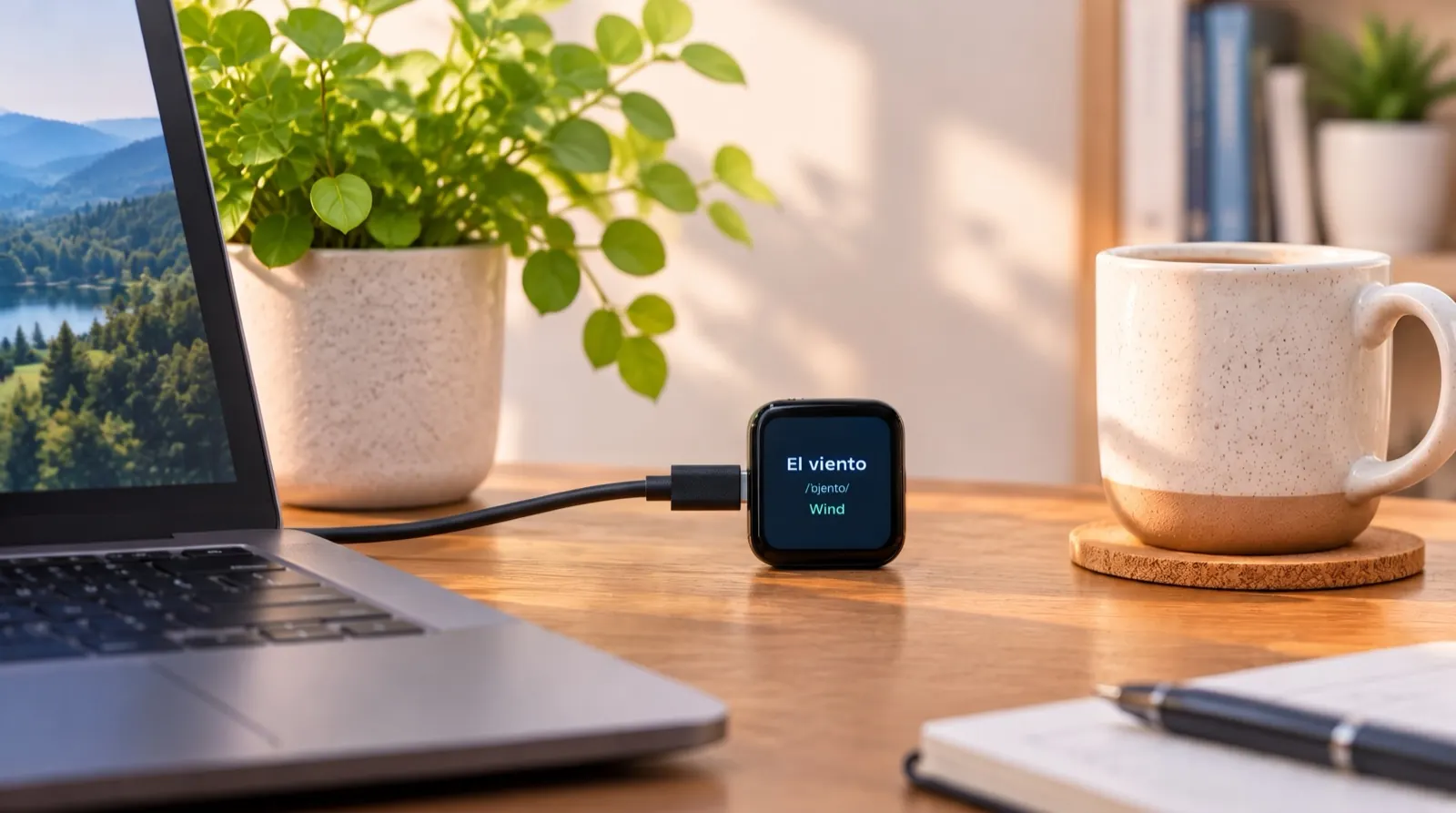
So this autumn I built a small companion for the app. It sits next to the keyboard, shows the words from my Wordify list, and has no other job.
What it is
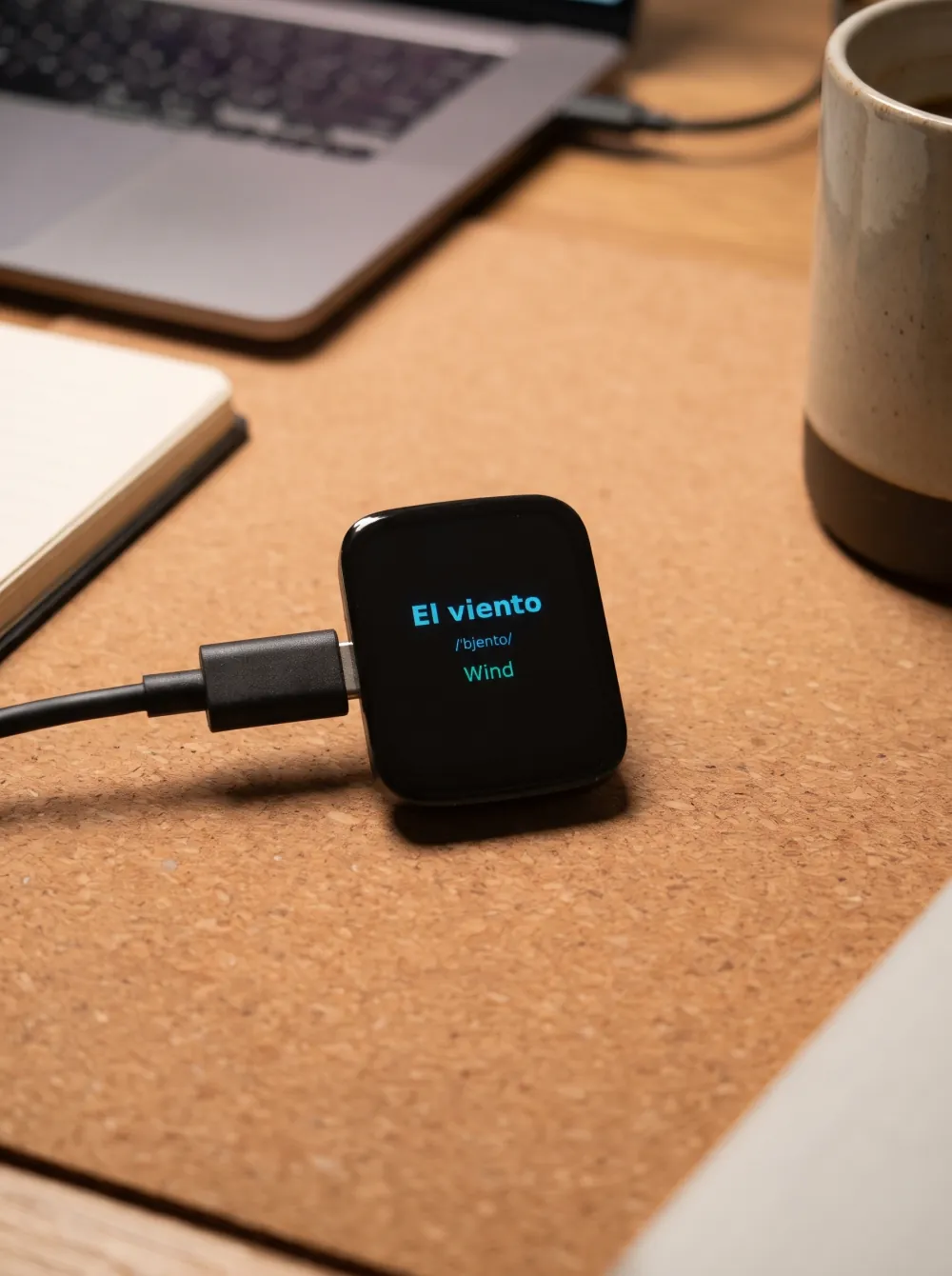
A 1.69-inch screen, about the size of a large postage stamp, in a plastic shell the size of a matchbox, plugged into USB-C. It shows one of my Wordify words at a time, and it has two modes.
Review mode is what you get when you pick it up. One card: the word and its pronunciation on the front. Tap, and the card flips to the translation and an example sentence. Swipe left for the next word, right for the previous one. The order is shuffled every time the device starts, so it never settles into a sequence you learn by heart instead of the words.
Slideshow mode is what it does when you leave it alone, and it is the point of the whole thing. After a minute untouched it switches over by itself, dims a little, and runs a loop whose timings you set yourself:
- Each word gets a slot of a fixed length. I use two minutes; it goes up to five. During the slot the card shows the word, its pronunciation and the translation.
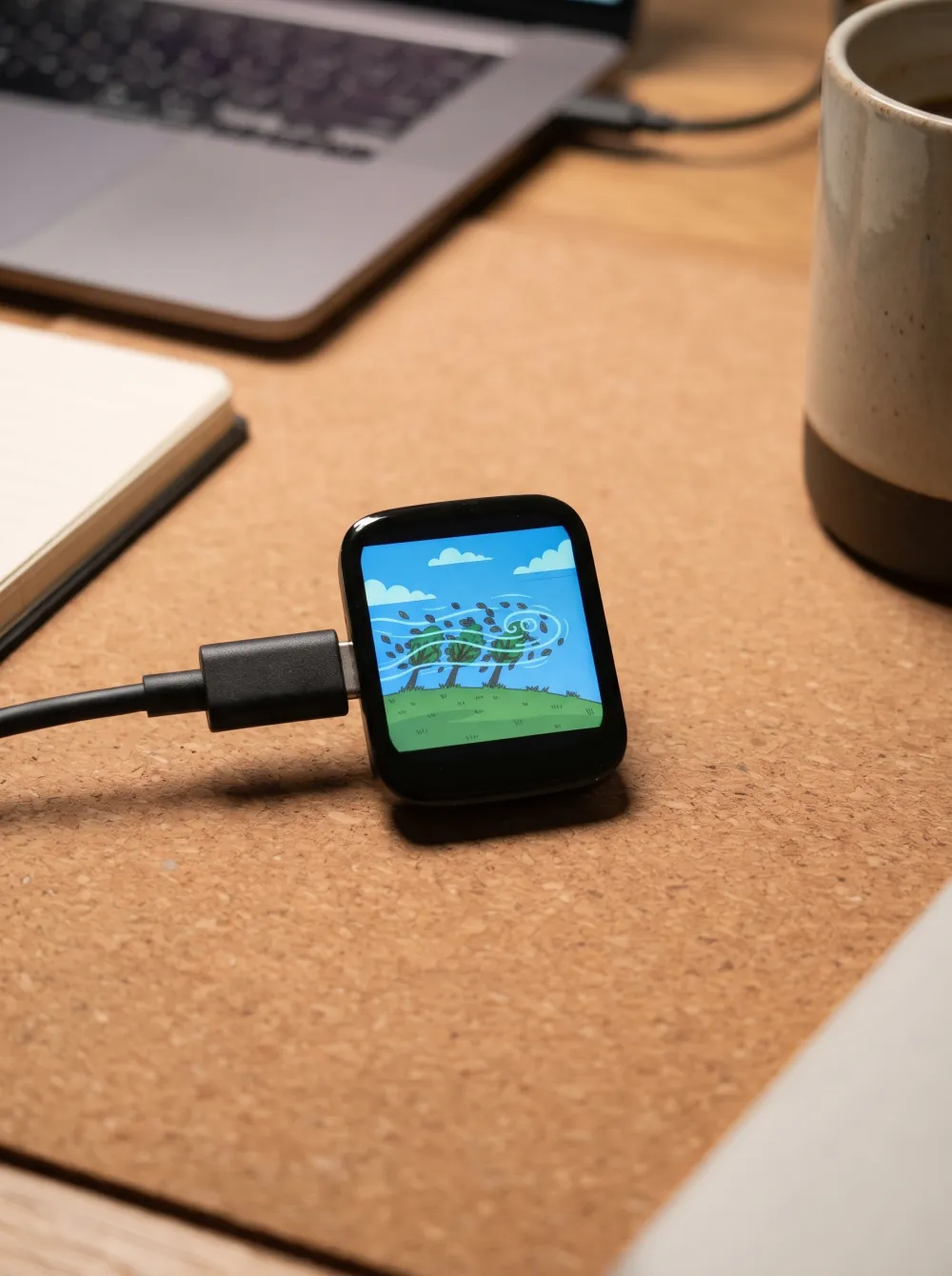
- Thirty seconds into the slot (my setting), the card fades to black and comes back as the word's picture. Every word in Wordify's catalog has one.
- The picture stays for a few seconds (10, for me), then fades back to the word card. Word, picture, word, picture, until the slot is over. Then the next word fades in.
With my settings, one word shows up three times as text and three times as a picture in its two minutes before the device moves on. Set the slot to five minutes with the picture every 45 seconds, and a single word keeps you company for the length of a meeting. A tap during the slideshow switches between the word and its picture; press and hold to drop back into review mode. Brightness, the three timings and the idle delay are sliders on a small settings screen, a swipe down away.
The picture is the part that does the work. I know el viento as a word; it is the trees bending on the little screen, twenty times in a day, that make it stop feeling foreign.
The device has no words of its own. Everything on it is my list from the app, My Words, synced over Wi-Fi. Words I have already marked as learned in the app stay off the device, so it only shows what I am still working on. A word I added by photographing my own kitchen shows up with my own photo.
The hardware is a twenty-euro development board with a colour touch screen, the kind hobbyists use for little projects. It also takes a small battery, so a cable-free version that sits anywhere on the desk is possible; mine stays plugged in. I wrote the software for it over a couple of weekends. It is not finished yet (it lies flat on the desk with the cable sticking out of its side, and a proper stand is the next thing to solve), but it has been on my desk every day since, and that is the part that surprised me.
Why glancing works, and what it does not do
I want to be careful here, because "learn a language while you work" is the kind of promise this blog tries not to make.
What a screen on your desk does is simple: it puts words you are learning in front of you many times a day, spread out over hours, without you doing anything. Spacing exposures out over time is one of the most reliable findings in memory research, and it is the reason spaced repetition works at all. The desk display does not schedule anything cleverly. It just makes sure that between two proper review sessions in the app, a word crosses your eyes twenty more times, often with its picture, which gives it one more hook to hang on.
What it does not do is test you. Recognising a word on a screen is easier than producing it in a conversation, and a glance is not a review. In my own use the pattern is: the device keeps words warm during the day, and the app's training session in the evening is where they actually get fixed. The two do different jobs, and the widget on your phone does the same job as the display, in the hours when the phone is with you.
There is one more effect I did not expect. Because the device is not a phone, I never "check" it. It is simply there, like a clock. I look up from the code, see el enchufe and a picture of a wall socket, and look back down. Nothing to unlock, nothing to open. That turned out to be the whole point.
Where it fits
The app is still where everything happens: collecting words, training, spaced repetition, marking a word as learned. The widgets carry those words through the day wherever the phone goes, and the desk display takes the same list and covers the hours at a desk, cycling each word through its pronunciation, its translation and its picture.
So the chain looks like this: add a word in the app, see it on the phone when you are out, see it on the desk when you are working, and fix it in the evening training session. Mark it learned, and it leaves the display on the next sync. If you have not set up the widget yet, start there; it takes two minutes, and it is the part of this that works today.
What is next
Right now the device is a personal build. Flashing it and connecting it to the app still needs a developer's tools, and I am not selling hardware today: putting a radio device on the EU market means certification and waste registrations that make no sense for a hobby-sized batch. If enough people want a ready-made one, that calculation changes, which is one reason for the form below.
The direction I like better is making it something you can build yourself: buy the same twenty-euro board, plug it into your computer, click one button on a page on this site, and connect it to your Wordify words from the app. No tools to install. The pieces for that exist (the browser can talk to these boards directly), and I am putting them together.
The open question is the stand: lying flat, the screen faces the ceiling, and it is at its best tilted up towards you. I am sketching a wooden one.
If any of this sounds like something you would want, tell me below. It is a short form, and the answers decide what I build next.
Desk display
Quick answers
Is there a device that shows vocabulary words on your desk?
Not one that shows your own words from a learning app, as far as I know. I built one for myself: a small screen that shows my Wordify words all day, with pronunciation, translation and a picture. This article is about that build. If you would want one, there is a short form at the end.
Does looking at words on a screen all day actually help you learn them?
Glancing is not a replacement for proper review, but it adds many small, spaced exposures to words you are already learning, without the phone in your hand. That is the same idea behind Wordify's lock screen widgets. The app still does the real work with spaced repetition.
Can I build this device myself?
Right now it takes a developer setup to flash and connect it, so it is not a weekend project for everyone yet. I am working on an install page that lets you plug the board in and set it up from the browser. Join the list at the end of the article to hear when it is ready.
How is this different from the Wordify widget?
It is an addition to the app, not a replacement. The display shows the same words from your Wordify list on a dedicated screen for the hours you spend at a desk, cycling each one through its pronunciation, its translation and its picture. The app, with its widgets and training, stays where the learning happens.
See also:
Try the app
Vocabulary that comes to you
Through home screen widgets, lock screen widgets, and notifications. 7-day free trial. No account needed.