
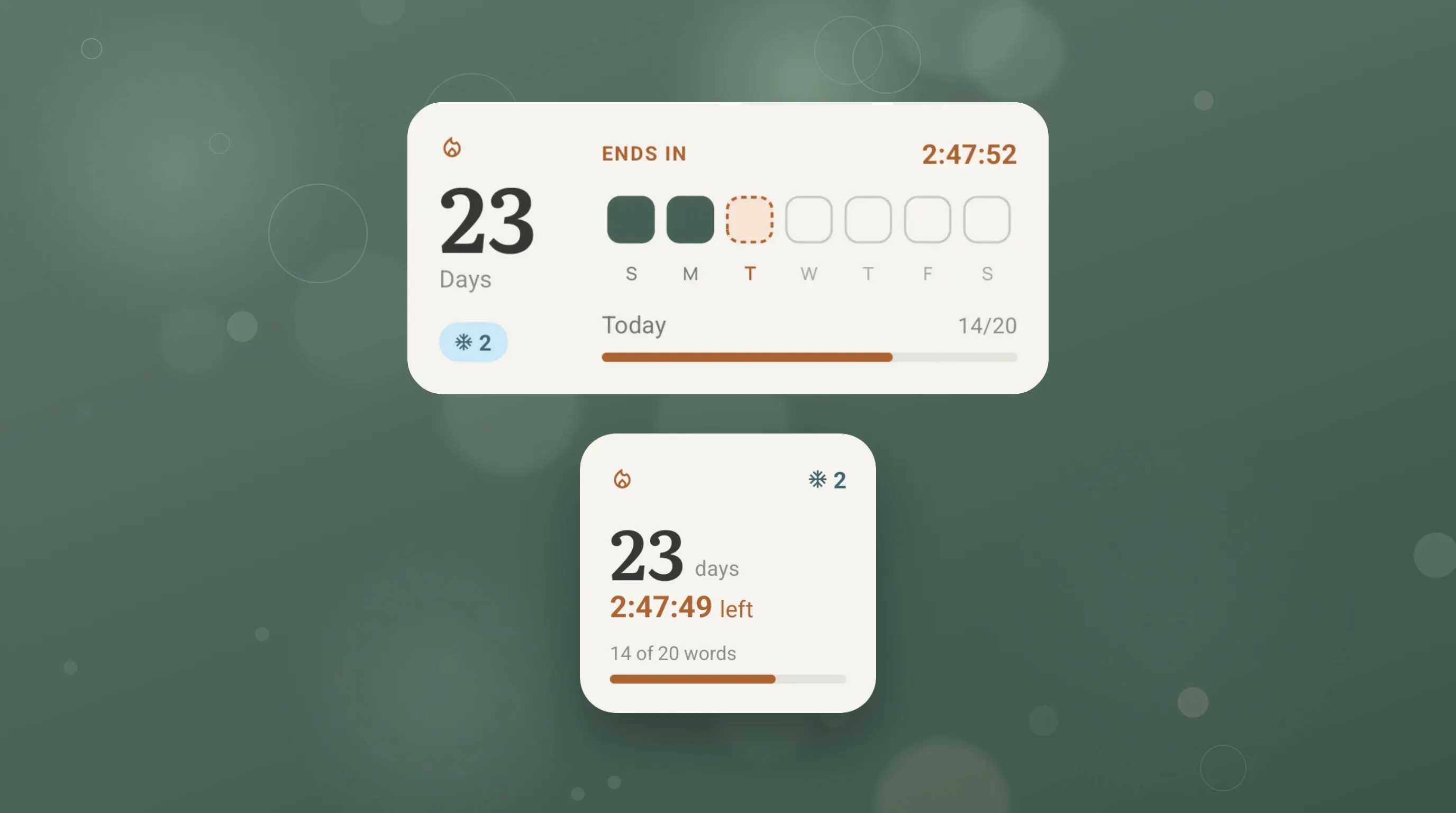
In June, Wordify got its first streak widget: a big number next to a heatmap of your recent practice. It looked good. It also didn't answer the one question you have when you glance at your phone in the evening: am I safe today?
So the streak widget has been rebuilt from scratch, and the streak itself now works differently. A day no longer counts because you reviewed one card. It counts when you reach a daily goal you pick yourself. Here's what changed, and why.
Your week at a glance
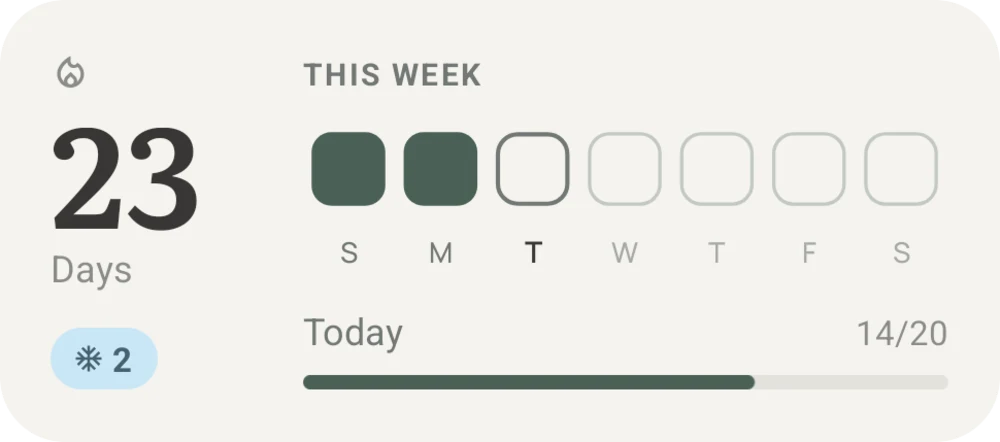
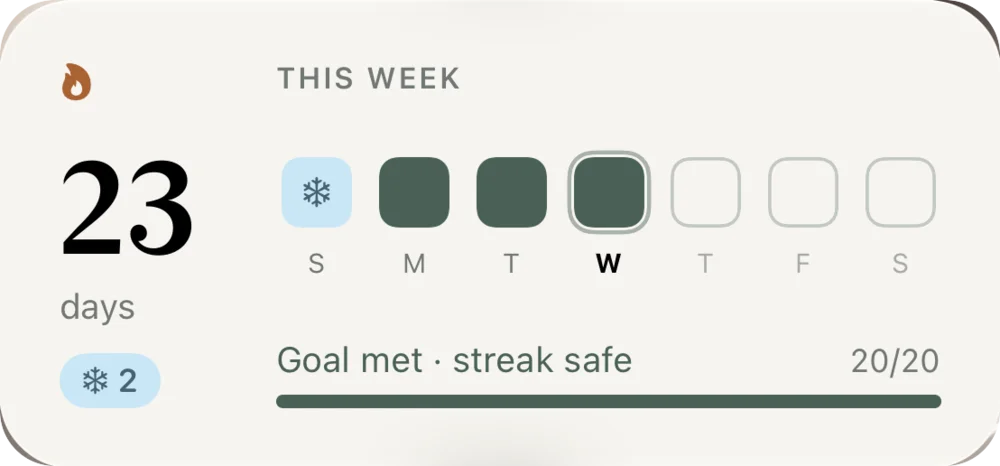
The new widget shows three things, left to right: your streak, this week's days, and today's goal.
The new streak widget
Your streak, this week, and today's goal. On iPhone and Android, under the word widget.
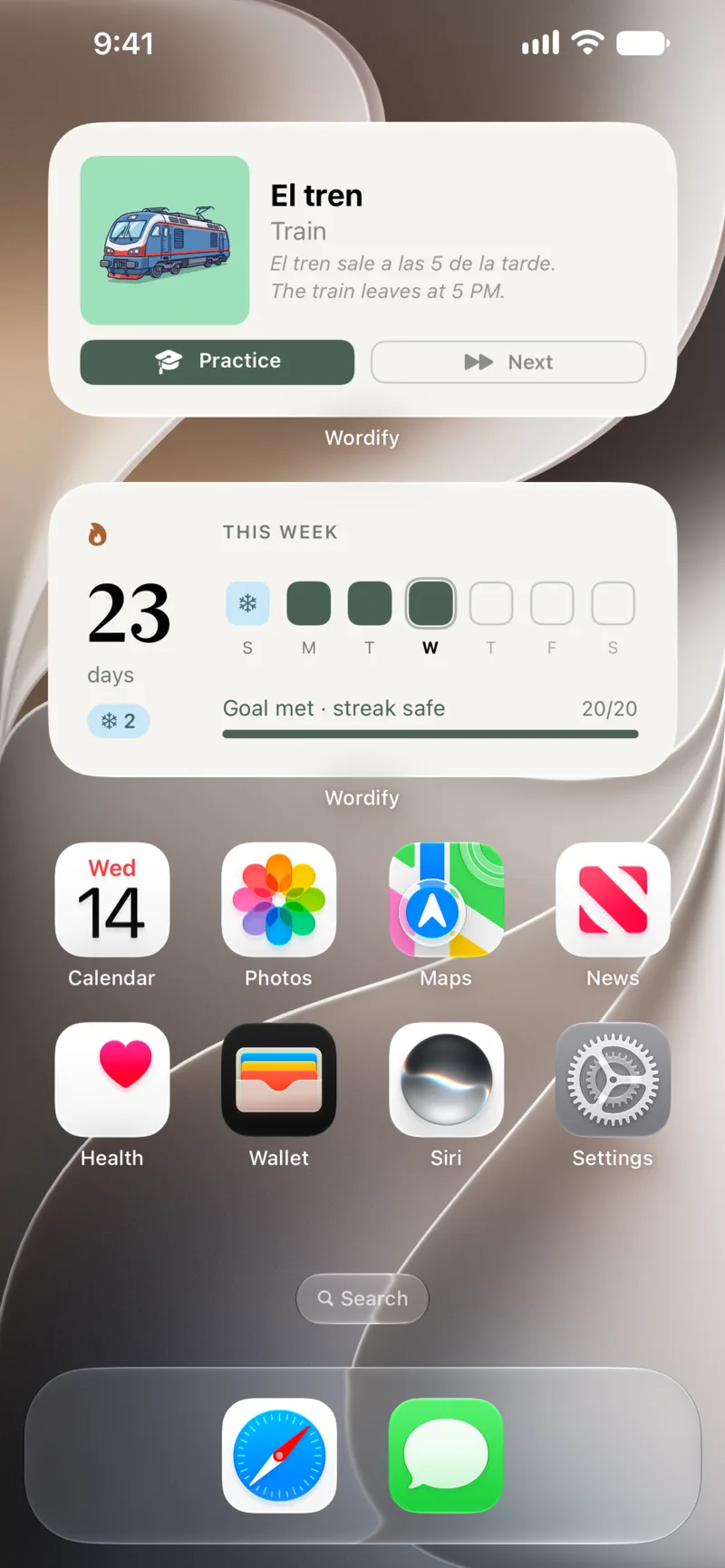
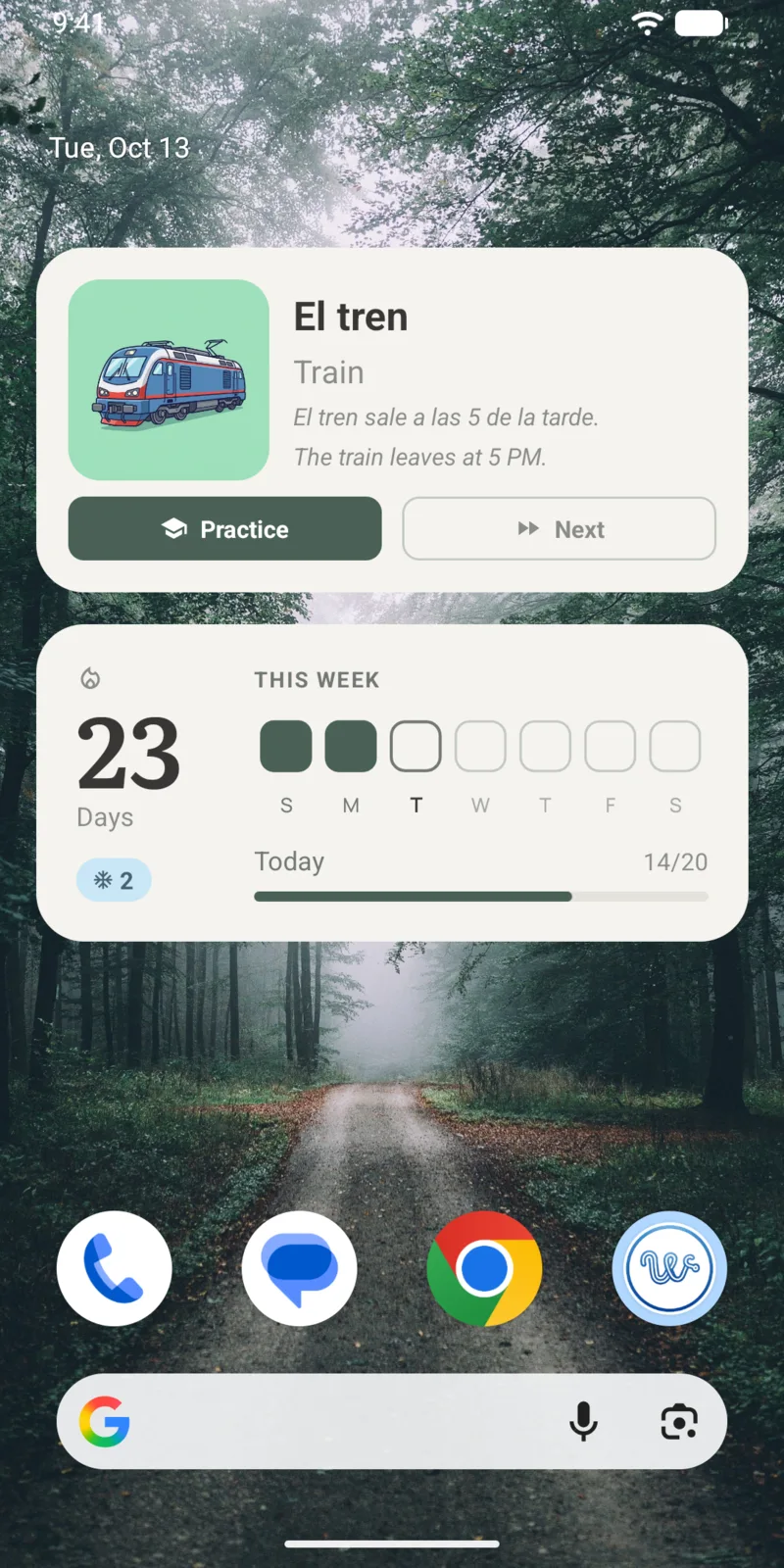
Each day of the week is a tile:
- Green - you reached your goal that day.
- Blue with a snowflake - a Streak Freeze covered a missed day.
- Ringed - today.
- Empty outline - days still to come.
The week is the calendar week, starting on your region's first weekday, so Monday or Sunday depending on where you live. I tried a rolling "last 7 days" first, but the letters shifted every day and the row started on a random weekday. A calendar week reads like a calendar: the days stay put, and you watch the week fill up.
Under the days, a bar shows today's progress: Today 14/20. Once you reach your goal, it turns into Goal met · streak safe.
The evening countdown
Here is the part I'm happiest with. After 6 pm, if you haven't reached today's goal yet, the widget changes. The header switches from "This week" to Ends in, with a live countdown to midnight, and today's tile and the goal bar turn orange.
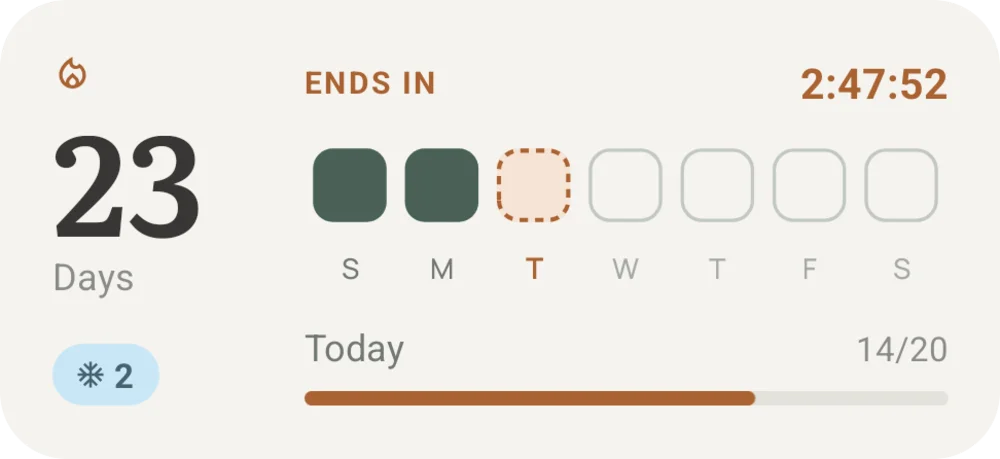
Orange means you still have a Streak Freeze that would cover the day. If you have none left, it turns red: this is the last call. And if a streak does end, the widget says so honestly, Ended at 23 days, instead of quietly resetting to zero.
I thought about notifications for this, and Wordify does have a daily reminder. But a notification is something you swipe away. A countdown on your home screen is something you see every time you unlock, for the whole evening. It's the gentlest possible nudge that still works.
Why one card no longer saves your streak
Until now, the first card you reviewed counted the whole day. That made streaks easy to keep and almost meaningless: one swipe at 11:58 pm and the streak lived on. It didn't help anyone learn. It also made Streak Freezes feel hollow - why protect a streak that one swipe can save?
So a streak day now needs a daily goal. You pick it when you set up the app, and you can change it anytime in Settings:
| Goal | Words a day | Time it takes |
|---|---|---|
| Casual | 10 | about 1 min |
| Regular (recommended) | 20 | about 2 min |
| Serious | 30 | about 3 min |
| Intense | 50 | about 5 min |
The times assume flashcards, at about six seconds a word. Twenty words a day is about two minutes. That's small enough to do every day, which is the whole point: small and steady beats big and rare.
Every answer you grade counts toward the goal, in any training mode. If you have only a few words due, practice sessions top up with words you haven't seen today, so you can always reach your goal, even on a quiet review day.
One rule is deliberately strict. Raising your goal applies right away; lowering it applies from tomorrow. Otherwise you could drop the goal from 50 to 10 at 11 pm and rescue a day you didn't earn. The app tells you when a lower goal starts, so it never feels like a trick.
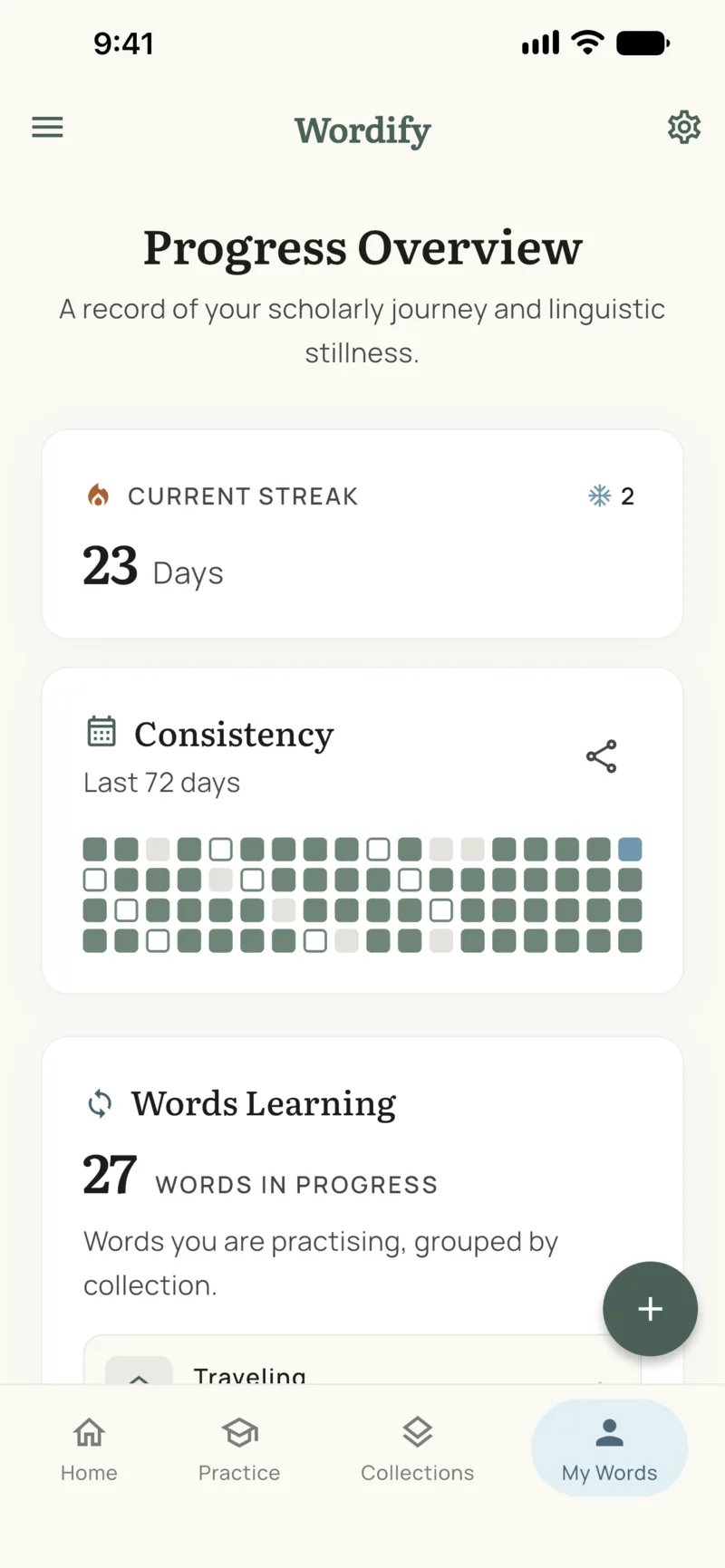
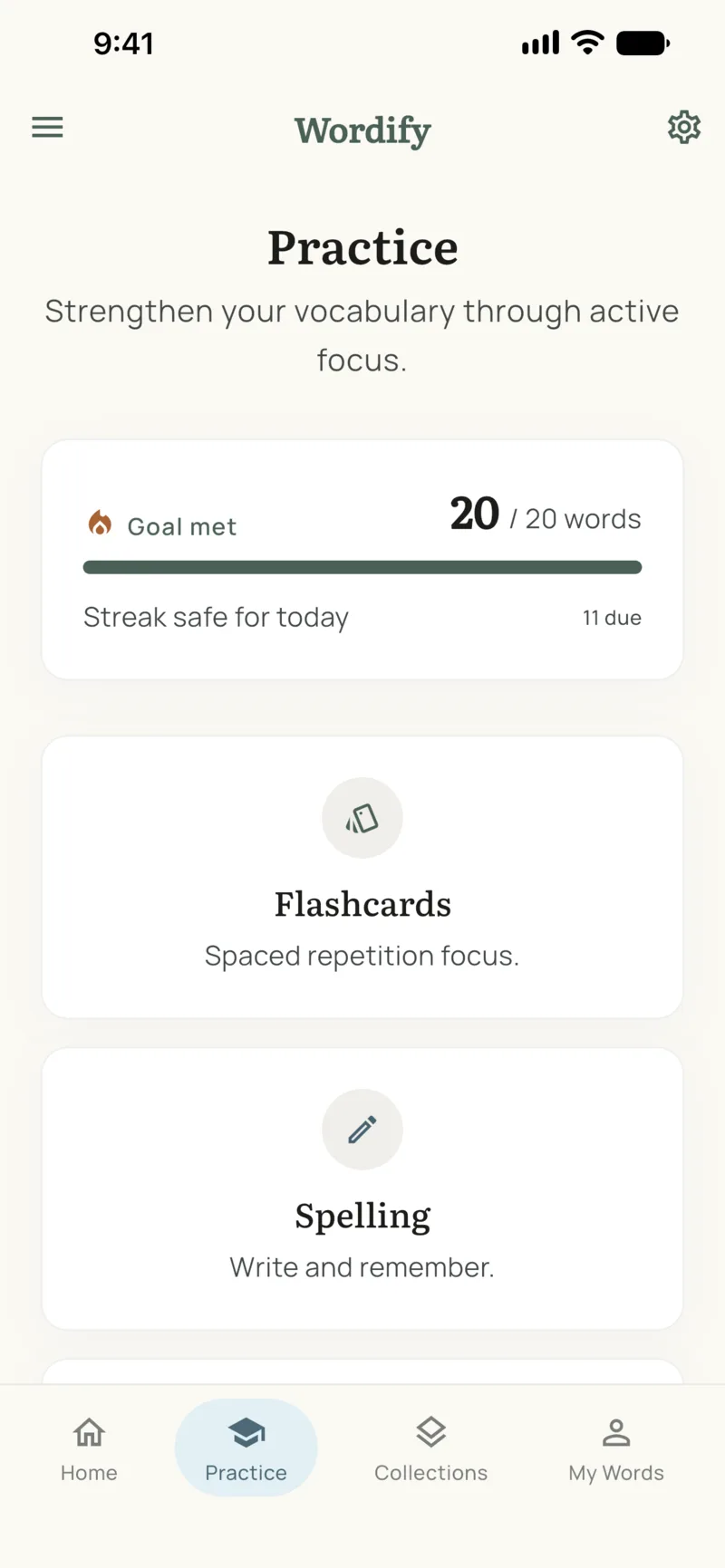
The rest of the app follows the same rule. The dot on the Practice tab now means "today's goal isn't met yet", not "you have words due". And the heatmap in My Words fills only the days you reached your goal. Days you practiced but fell short show as an outline, so you can see the effort without it counting as a streak day.
Streak Freezes, always visible
The number in the corner, with the snowflake, is how many Streak Freezes you have ready. A freeze covers a day you miss, automatically, so one busy day doesn't wipe out months of practice.
Premium users earn one freeze for every 10 days of streak, up to two at a time. On the free plan the count shows as a muted zero. I went back and forth on hiding it, but the count is part of the stakes: you should know, when the countdown starts, whether anything has your back.
Small, medium, and the lock screen
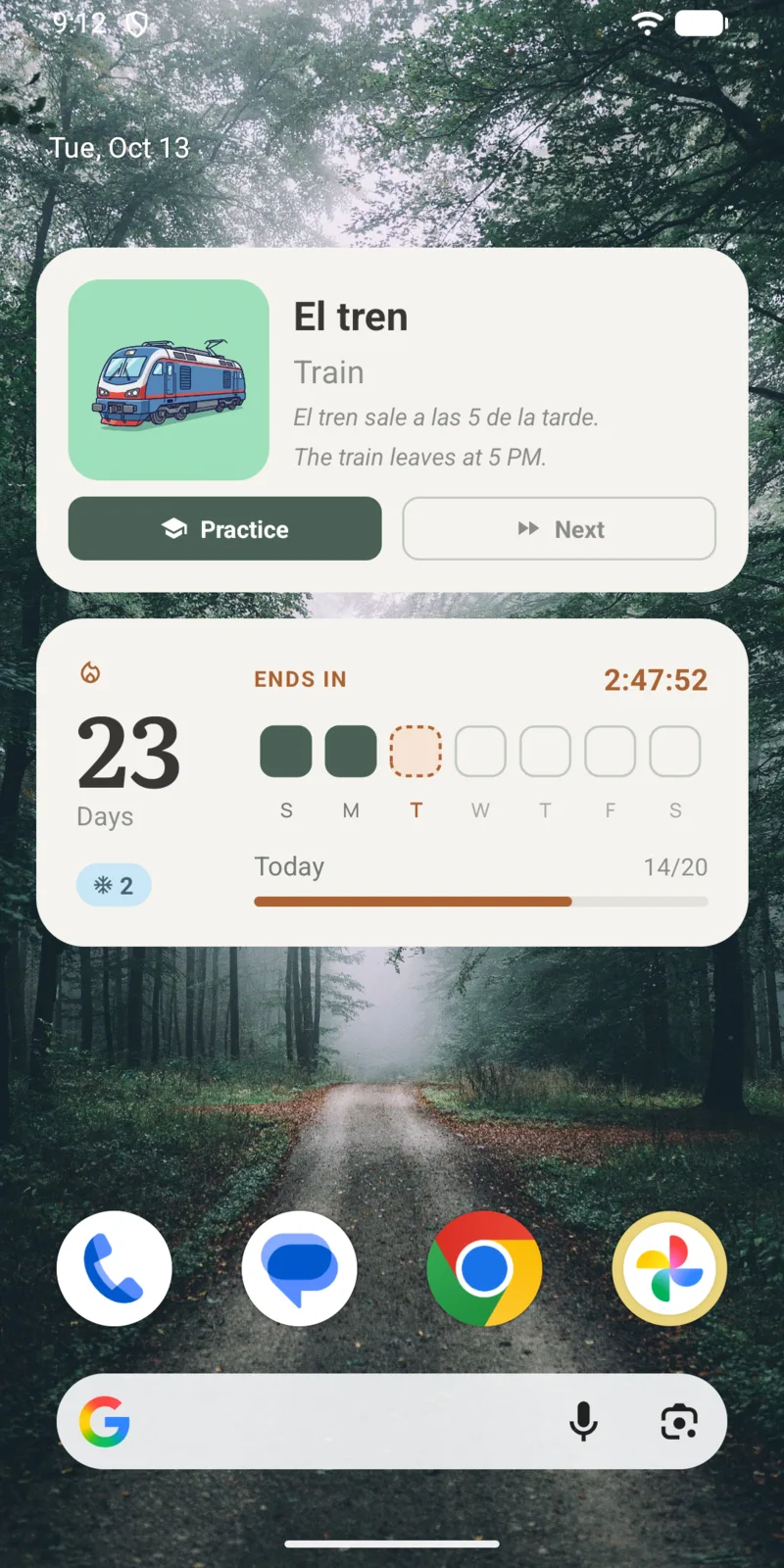
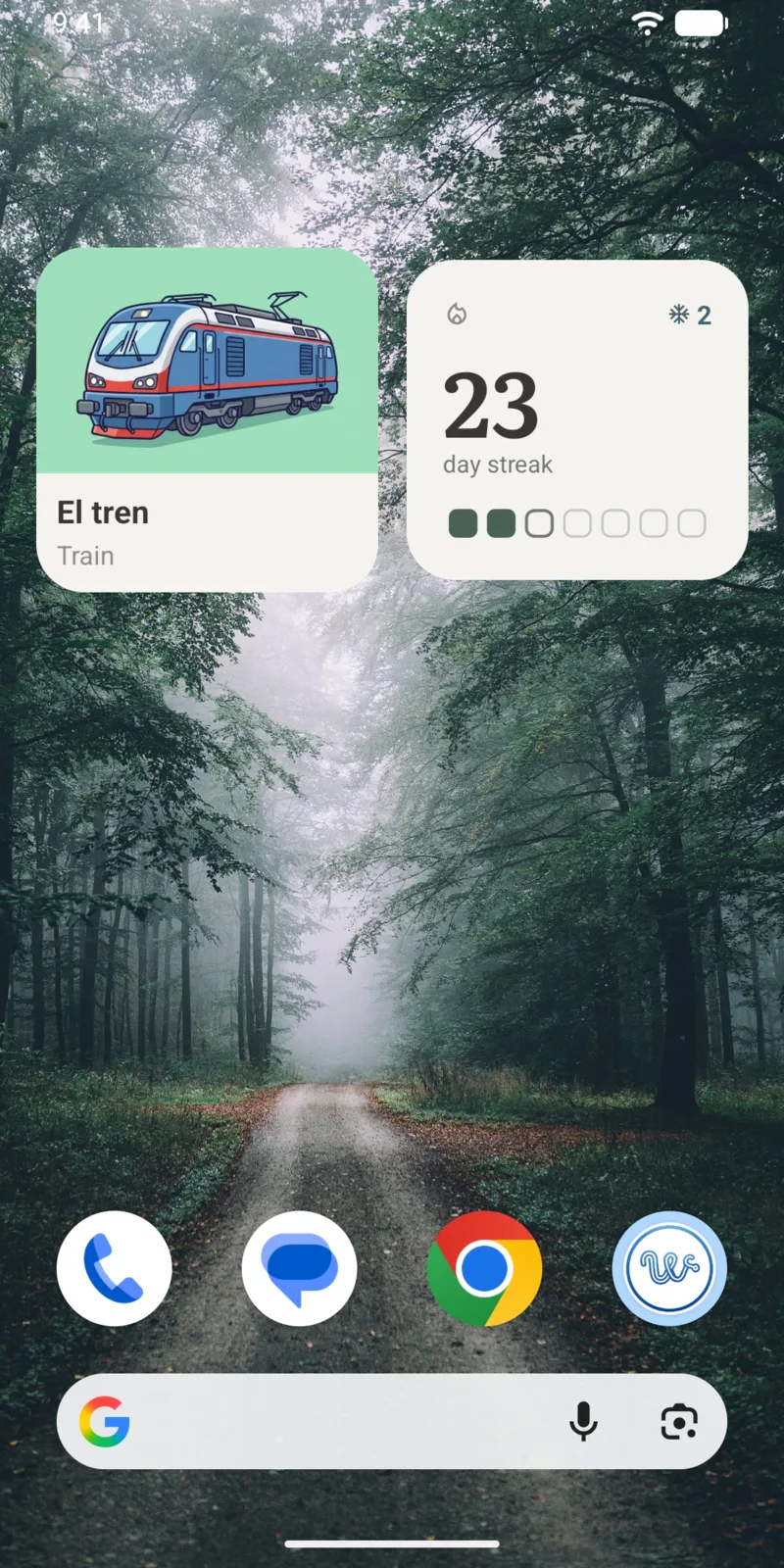
The widget comes in two sizes on both platforms. Medium is the full version above. Small keeps your streak and the week, and fits next to a small word widget in the space of one medium widget.
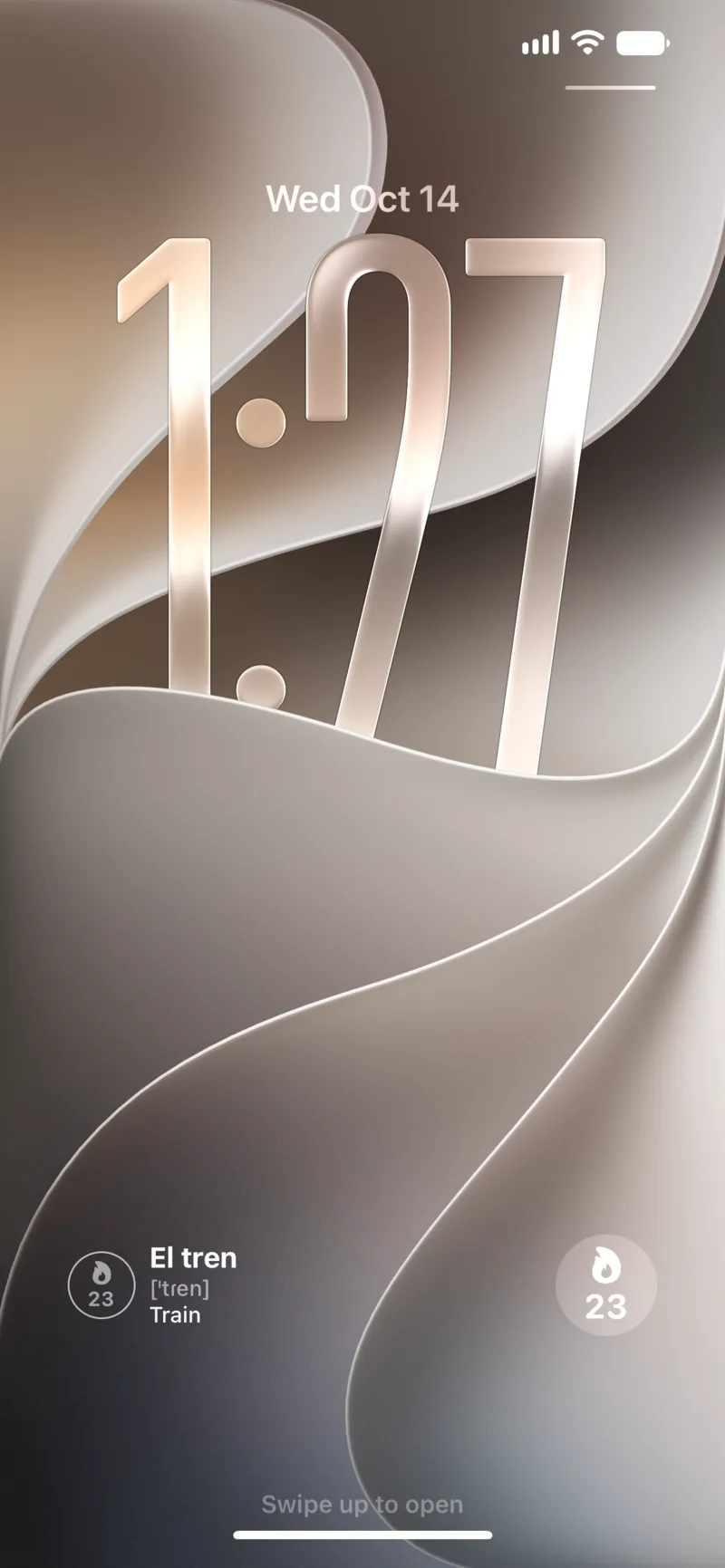
On Android, the medium widget is two rows tall and stretches horizontally; the layout adapts to the width you give it. On iPhone, there's also a small circle for the lock screen with your streak, next to the word widget under the clock.
More sizes
Small widgets side by side on Android, and the streak circle on the iPhone lock screen.
Try it
Update Wordify, then long-press your home screen and add the streak widget under Wordify. If you already had the old one, it updates on its own. To pick or change your daily goal, open Settings → Daily goal.
If you're setting up widgets for the first time, here's how to learn new words from your home screen with the word and streak widgets together, and the step-by-step for adding widgets on both platforms.
See also:
Try the app
Vocabulary that comes to you
Through home screen widgets, lock screen widgets, and notifications. 7-day free trial. No account needed.